CheckNumber.AI
· 5 min read
Zalo Number Checker: Check a Customer List for Zalo Accounts
For one known contact, Zalo’s native phone search or QR connection may be enough. To assess an existing customer list, prepare the phone numbers, run a Zalo registration check, download the completed result, and join each observation back to its source record.
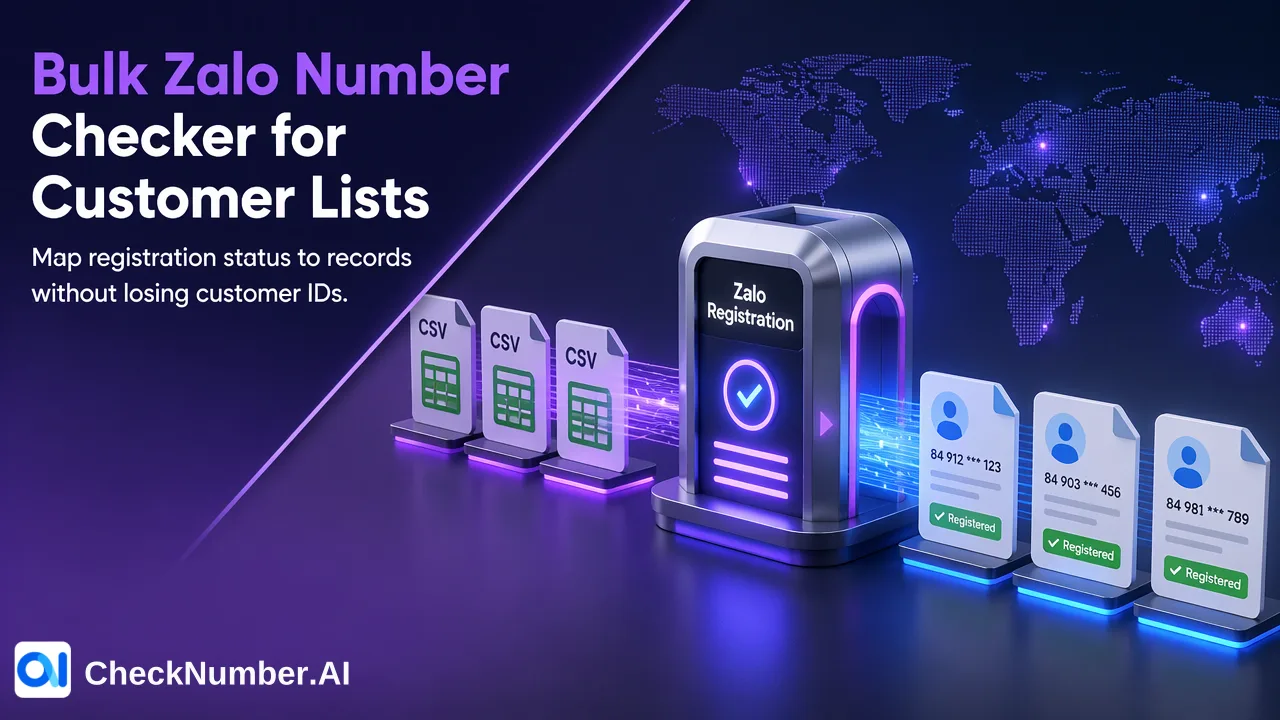
For one known contact, Zalo’s native phone search or QR connection may be enough. To assess an existing customer list, prepare the phone numbers, run a Zalo registration check, download the completed result, and join each observation back to its source record.
Choose between a personal contact search and a list check
A customer team may have phone numbers from prior orders or support conversations and wonder which contacts use Zalo. There are two different tasks. If an employee needs to connect with one known person, Zalo’s own contact features are the natural starting point. Its contact guidance describes phone-based contact discovery, address-book synchronization, and QR connections. Those are actions inside a person’s Zalo account, subject to the other person’s settings. They do not produce a reviewed status for every row in a company list.
A list owner instead needs to preserve customer IDs, check many supplied phone numbers consistently, and return a registration observation to the right record. CheckNumber’s Zalo Checker addresses that narrower job: whether submitted phone numbers show Zalo registration at check time. It does not add contacts or reveal a customer’s private messages. The distinction matters because a failed personal search should not be translated into a definitive list-level conclusion about every customer.
Prepare the numbers without losing the customer record
Begin with an export you are authorized to use. Keep the original customer ID and phone text in a separate working file. This protects the link between the later check result and the order or support record that made the question relevant. Do not use names as the matching key: names can repeat, change, or be incomplete.
For the check input, confirm country context from the customer record. CheckNumber’s phone-list workflow uses CSV or TXT input with one country per file and one number per line, including the country code; the plus sign is optional. A Vietnam-facing team can still have customers with numbers from several countries. Separate those only when the country is known, and check the selected product’s current country selector before including a group. Put ambiguous numbers aside rather than guessing a prefix.
Inspect a few rows in the actual file, not only the spreadsheet display. A spreadsheet may change leading zeros or show a long phone value incorrectly when it treats it as a number. The free Number Cleaner can normalize phone values to E.164 and remove duplicate or invalid entries before a paid check. Save the ID-to-prepared-number mapping before deduplication, since two distinct customer records can share one number. These preparation steps are your own data controls, not claims about extra Zalo result fields.
Run the Zalo registration task and retrieve its result
Select the named Zalo Checker for the prepared list, not an activity or profile product merely because their names also mention Zalo. CheckNumber’s Zalo bulk-check documentation describes a submitted list task that completes asynchronously and provides a downloadable result. Use the current interface instructions for submission and completion, since this article does not assume a fixed field schema, turnaround time, or batch size.
After the task completes, retain the submitted file and its run date alongside the downloaded result. Reconcile submitted numbers with returned observations using the prepared-number mapping. If a row is missing, duplicated unexpectedly, or cannot be matched confidently, put it in an exception group rather than assigning a status to a customer by row position. The visible Zalo output supports a registration interpretation; do not promise profile attributes or last-seen columns from this particular check.
For example, imagine a support team with two customer records linked to the same prepared phone number. One number-level result may be relevant to both records, but the records still have distinct order histories and communication permissions. The team should associate the observation with both IDs through its saved mapping and keep their separate histories intact. This is an illustrative workflow, not a measured customer outcome.
Use the result for a customer decision, not an automatic message
A Zalo registration observation tells a team whether the named platform appears relevant to a submitted number at the time of checking. It does not identify the account holder, add the person as a friend, promise message delivery, or grant permission to contact. Zalo’s privacy guidance explains that users control how others can find and contact them. A customer list therefore needs its own permission and suppression review before a team chooses any outreach.
Keep three categories in the customer working file: a matched registration observation, a matched negative observation, and rows that were not reliably evaluated or joined. Do not turn unknown rows into negatives. Add the check date so a later team does not mistake an old observation for a permanent account state. For a single existing relationship, a native Zalo connection may still be preferable to a list workflow. For a larger authorized list, the useful next step is to prepare a small, traceable input and compare its completed Zalo results with your original customer IDs before expanding the task.
FAQ
Does a Zalo registration result add a customer as a contact?
No. The bulk result is a number-level registration observation. Native contact connection and the user’s privacy settings remain separate.
What should a team do with an unmatched result row?
Hold it for review and compare the submitted number with the saved source-ID mapping; do not infer a customer status from row order.