CheckNumber.AI
· 5 min read
Free Email Cleaner vs Email Verification: Choose the Right Check
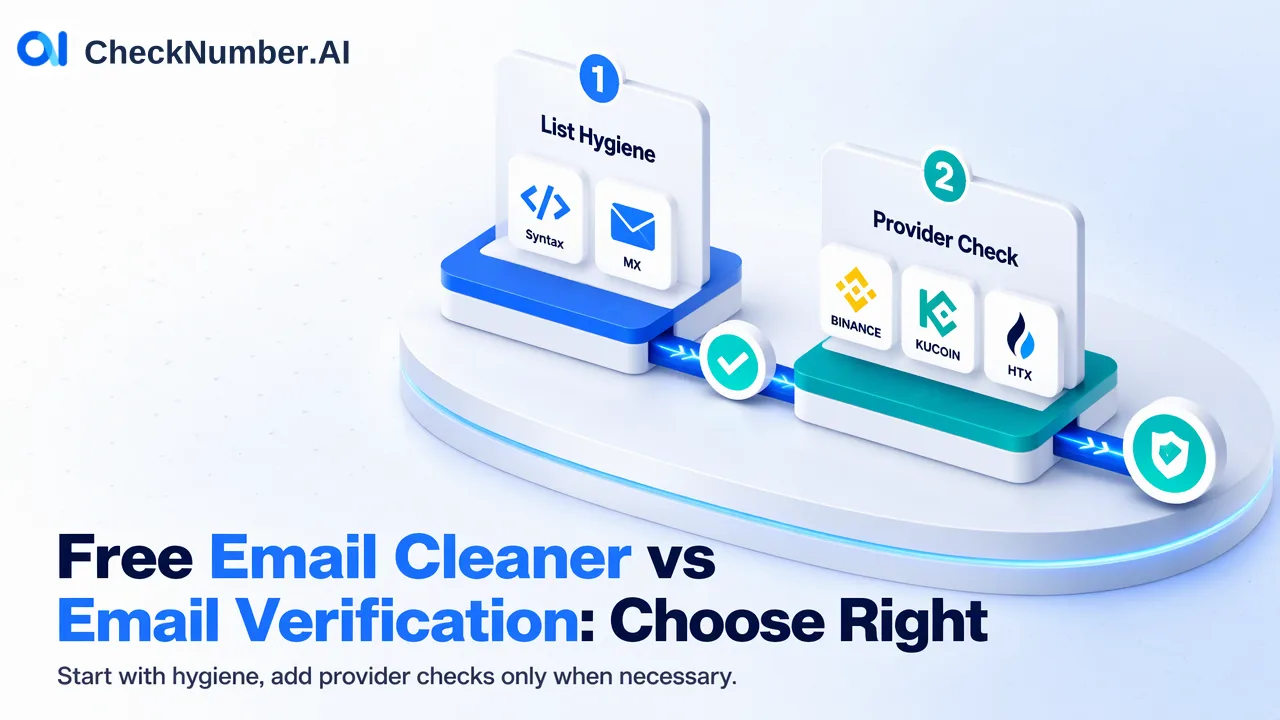
A free email cleaner is enough when the job is to remove malformed, duplicate, disposable, or MX-less addresses from a working list. A separate supported-provider registration check is useful only when the team needs that provider-specific signal. Neither answer guarantees inbox delivery or permission to email.
A free email cleaner is enough when the job is to remove malformed, duplicate, disposable, or MX-less addresses from a working list. A separate supported-provider registration check is useful only when the team needs that provider-specific signal. Neither answer guarantees inbox delivery or permission to email.
Start with the decision the team must make
A list owner may call every step “email verification,” yet the underlying questions are different. Is this address written plausibly? Does its domain advertise mail exchange? Is the same address repeated? Does the selected supported provider show an account-registration signal? Those questions require different checks. Buying a deeper signal before defining the decision can leave a team with an answer it cannot use.
Consider a hypothetical newsletter cleanup. The team wants to remove obvious list hygiene problems before reviewing existing subscribers. It does not need to infer which consumer provider has an account for each person. CheckNumber’s free Email Cleaner addresses syntax and MX checks and removes duplicate and disposable addresses. For that stated task, the cleaner is a sensible first step. The retained list still needs the team’s own consent, unsubscribe, and bounce handling. A clean row is not an inbox-delivery promise.
Know what the free checks establish
Syntax review checks the form of an address, such as whether it contains the required parts. It cannot establish that the named person owns the address. An MX record indicates that the domain publishes a mail-routing destination; it does not prove that a specific mailbox exists, accepts mail, or will receive a campaign. Duplicate removal prevents the same address from being processed repeatedly. Disposable-address screening flags a category of address that a team may choose to review under its own policy.
These are list-preparation signals. Preserve an unchanged source export, its record IDs, and a separate cleaned version. If two CRM records share an address, removing a duplicate check input should not silently merge the customers or their permissions. Keep an exception column for addresses rejected during cleaning and the reason for review. That way, the cleaner’s practical benefit is a clearer working list rather than an invented “verified subscriber” status.
Choose a provider check only for a provider question
CheckNumber’s Email Validation product checks registration signals across supported email providers. It is a separate question from format and MX cleaning. Select it when a decision genuinely depends on a supported provider’s account signal, and confirm current provider coverage for that check. Do not assume that a corporate or self-hosted domain is covered simply because its syntax and MX records look normal.
For a hypothetical list containing consumer-provider and company-domain addresses, the team might clean both groups first. It would then run a supported-provider check only for eligible addresses where that specific signal matters. The company-domain group should remain outside the provider-registration conclusion unless current documentation explicitly supports it. Negative or unverifiable outcomes also require their own review label; neither is universal proof that an email address is invalid.
The practical selection table is short:
| Reader question | Relevant step | Safe interpretation |
|---|---|---|
| Is the address well formed and its domain mail-routed? | Free Email Cleaner | Syntax and MX observations, not mailbox delivery |
| Are duplicate or disposable entries present? | Free Email Cleaner | List hygiene flags for local review |
| Is an eligible address associated with a supported provider? | Email Validation | Provider-specific registration signal at check time |
| Will a message arrive, or may we send it? | Team’s own permission and delivery process | Neither check alone answers this |
Keep unknowns visible in the final list
After a check, join each outcome to the original source ID. Report cleaned, excluded, provider-eligible, provider-result, and unresolved groups separately. Those are labels in the team’s own worksheet, not promised product output columns. A record excluded for bad syntax is different from a clean corporate-domain record outside supported-provider scope. An unresolved result is different again. Collapsing all three into “invalid” destroys useful distinctions.
Provider registration also cannot stand in for ownership or consent. An address might have a provider association while the team lacks permission to use it, or it might be permitted but currently return an uncertain provider result. Sending decisions must follow the organization’s permission records, current suppression requests, and actual delivery feedback. A first cleanup pass can be repeated when the source list changes; any later provider check should answer a specific, documented business question.
Start with a sample of your own list and label the decision each check would change. If syntax, MX, duplicates, and disposable status are enough, use the free Email Cleaner. If supported-provider association would materially change a legitimate workflow, review the current product catalogue and provider coverage before running that separate check. Keep the result’s date and scope attached to the source record.
FAQ
Does an MX record prove that a particular mailbox receives messages?
No. It indicates domain-level mail routing, not acceptance or delivery for a particular address.
Can Email Validation be applied to any company domain?
Do not assume so. The documented check concerns supported email providers; confirm current coverage before interpreting a corporate address.