CheckNumber.AI
· 5 min read
E-commerce Activity Checker vs Registration: Which Signal Does Your List Need?
Choose the check by the business question: broad recent e-commerce activity, presence on a named platform, or an actual transaction in your own records.
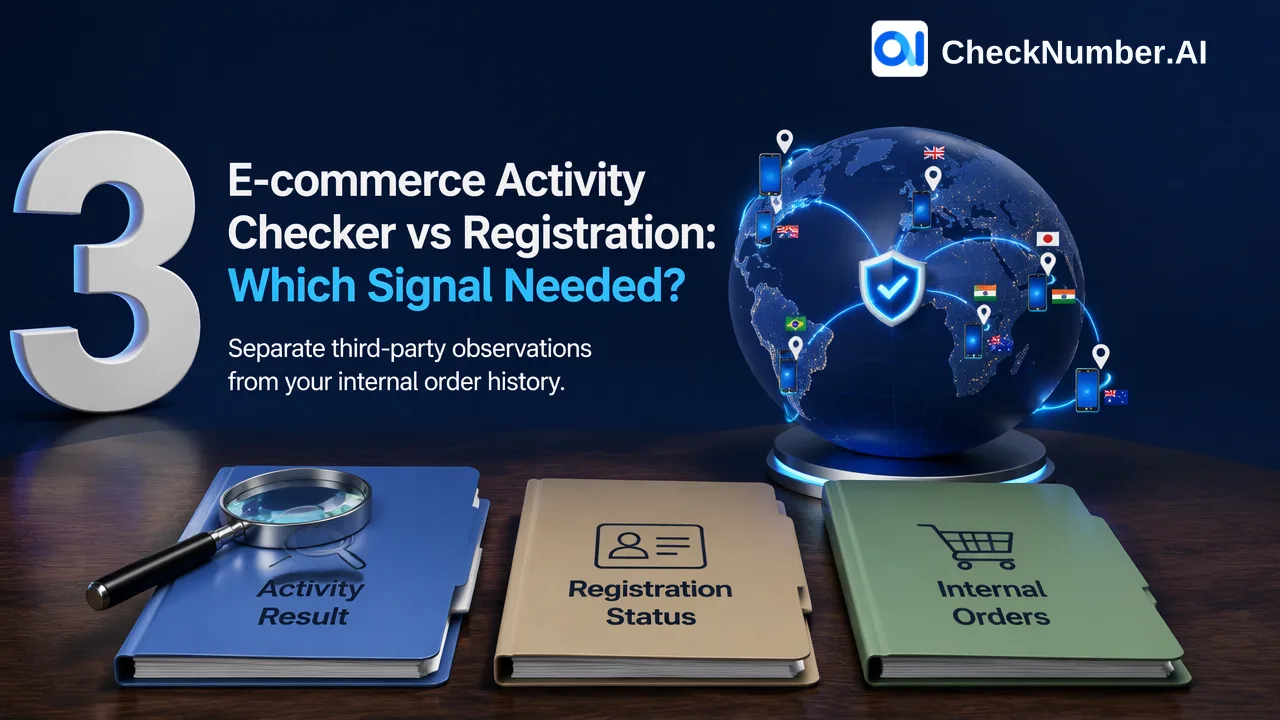
Use an e-commerce activity checker when your authorized list review calls for a recent, broad e-commerce activity observation. Use a named-store registration checker when the question is whether a number has a registration signal for that particular store. Use your own order records when you need to know who actually bought from you. These are three different questions, and no single check should be treated as an answer to all three.
Start with the decision your team must make
A CRM team may have a list of phone numbers and a practical decision: which contacts need a closer review for a planned, permitted campaign? The temptation is to order a check first and decide what its result means afterward. Reverse that sequence. Write down the decision, the list you are allowed to use, and the evidence that would change the next action.
For example, a team evaluating an existing customer audience might ask whether a broad recent e-commerce activity observation would help prioritize manual review. Another team may specifically need a registration signal for a named marketplace. A merchant asking which customers placed an order last month already has the answer in its own order system. These are illustrative questions, not measured customer outcomes.
The useful distinction is between an observation about a number and a transaction in your business. An activity result can inform prioritization; it does not identify a buyer, establish a purchase, or show that someone wants your offer. A registration result is narrower still: it concerns the named service at the time of the check. Neither result changes your independent requirement to use contact data for an authorized purpose.
Match each question to the right source
| Question to answer | Appropriate source | What the result supports | What it does not establish |
|---|---|---|---|
| Has this number shown recent e-commerce activity in the supported coverage? | CheckNumber’s E-commerce Activity Checker | A recent e-commerce activity observation for the submitted number | A particular store, order, amount, buyer identity, or purchase intent |
| Is there a registration signal on a named service such as Amazon? | The checker for that named service, if supported | Platform-specific account presence at check time | Recent shopping activity or a transaction with your store |
| Did this customer purchase from us? | Your own order and customer records | The transaction your business recorded | Activity across other e-commerce platforms |
The E-commerce Activity Checker documentation describes a yes/no result for whether submitted mobile numbers have been detected as recently active on e-commerce platforms. It does not define a lookback duration, a store name, or a spending amount in that result. Treat the word recent as the documented category rather than inventing a time window.
A named-platform check answers a different question. CheckNumber lists separate registration checkers, including an Amazon checker. Choosing that product makes sense only when the named platform itself matters to the review. A positive registration observation should not be converted into a claim that the account recently shopped, purchased, belongs to a particular person, or can be contacted.
Check coverage and prepare the list before ordering a run
First, inspect the selected product’s current country selector. The activity documentation says coverage is limited to countries supported by both its underlying number-activity and e-commerce signals. A country available for another CheckNumber product is not automatically available for this one. If the audience spans several countries, separate the coverage decision by country before sending a file; do not treat unsupported rows as negative activity observations.
Next, prepare numbers in the required input form and keep a stable internal reference so the exported observations can be joined back to the right CRM records. CheckNumber’s activity documentation describes a text-file input with one phone number per line and recommends E.164 formatting. The broader CheckNumber list workflow also supports CSV or TXT uploads for supported bulk products. Follow the selected checker’s current instructions for the actual run rather than assuming one upload format applies to every product.
Finally, state in advance what a positive, negative, failed, or unavailable observation will do in your process. A positive activity observation might move a record into a permitted review queue. A negative observation may simply mean this check did not find the documented signal. A failed or unsupported row needs a separate status, not a silent conversion to negative. Keep the check date and selected product with the result so a later analyst knows which question was asked.
Keep checker observations beside your own evidence
A practical CRM view separates three columns or linked records: the third-party observation with its check date, the merchant’s own order history, and the contact’s permission status. The first helps with a signal-specific review. The second answers whether this merchant recorded a purchase. The third governs whether and how the team may contact the person. An activity or registration result cannot fill a missing order or consent field.
Suppose an authorized customer list contains a number with a positive activity observation but no order in your store. The reasonable interpretation is that the activity checker found its defined signal; the merchant still has no first-party purchase evidence for that number. If a separate named-store checker finds registration, that observation remains about the named platform. Do not combine the observations into an invented purchase journey. This example illustrates record handling, not an actual customer case.
Before buying a check for the full list, ask whether the result would change an authorized decision. If the team already needs only its own purchase history, query the order system instead. If a broad activity signal would genuinely help prioritize review, confirm current country coverage and read the CheckNumber documentation for the selected workflow. If the decision is about one named platform, select that platform’s checker and keep its narrower meaning in the CRM.