CheckNumber.AI
· 5 min read
How to Read Zalo Age and Gender Estimates in a Customer List
Keep Zalo demographic estimates distinct from registration and unresolved results in customer-list reviews.
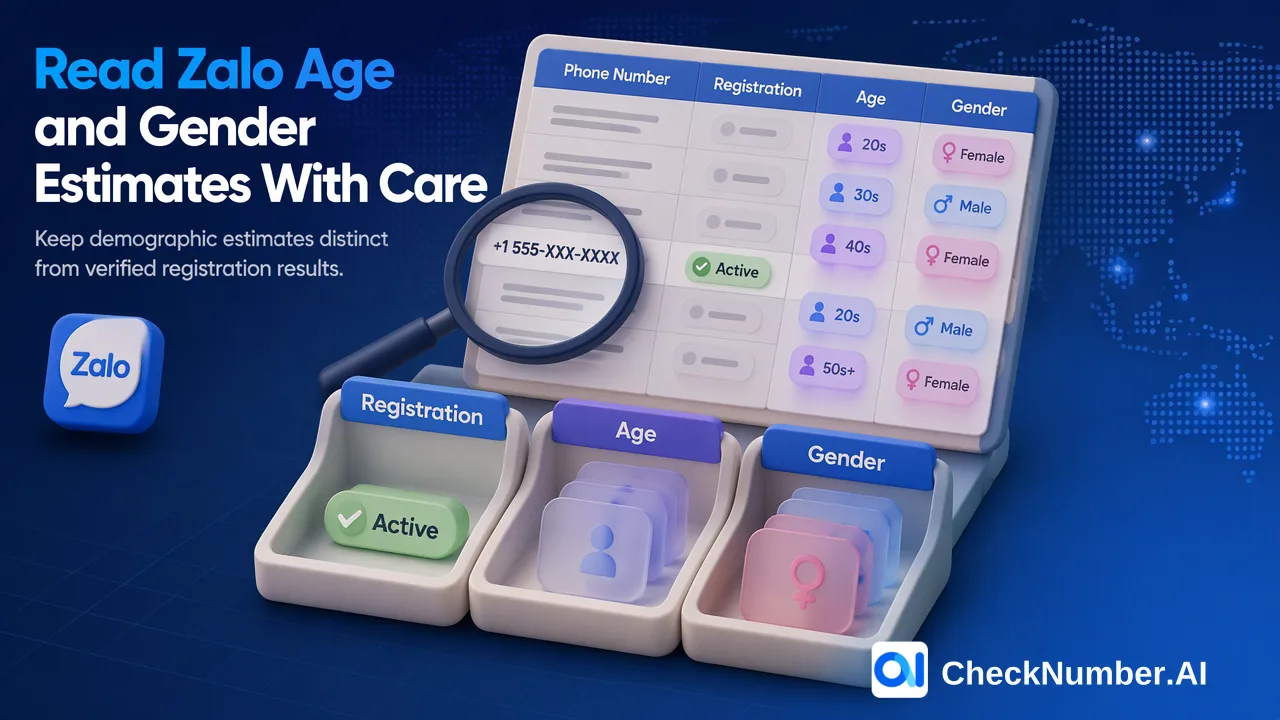
A returned Zalo age or gender in our Age & Gender Checker is an AI estimate, not a verified personal fact. Read it as a tentative profile signal for a list review. Read the separate activated result for registration, and leave empty demographic fields unknown until the task and row status are clear.
Start with the question your list needs to answer
A customer team may already have a list of phone numbers and want to understand its broad Zalo audience. The tempting move is to fill every contact row with an age band and gender, then use those values as if customers had supplied them. That changes the meaning of the data. Our Zalo Age & Gender Checker can return AI-estimated age and gender where available; these are observations for cautious review, not declarations by the person who uses the number.
This matters for a campaign brief. A planning team might ask whether a sample of existing, permissioned contacts appears to contain a mix of age groups. A tentative estimate can help them explore the question. It should not overwrite a customer’s stated profile or become a definitive attribute of an individual. Keep the original customer information and checker output in different fields so colleagues can see the difference.
Our product directory helps you locate the relevant checking service. Choose the named Zalo Age & Gender task when the demographic question is truly part of your list review; a registration-only check answers a different question.
Keep activated, age, and gender separate
The current zalo_gender service is an asynchronous bulk check. Its documented export has separate activated, gender, and age columns. activated is the registration observation; age and gender are available profile estimates. Reading one field as a substitute for another produces false certainty.
For example, a row may have a usable activated value while one or both demographic fields are empty. That is not a reason to erase the registration observation. Nor does a returned estimate establish the person’s actual age, gender, or identity. A demographic field and a registration field answer different questions, even when they appear beside each other in one export.
Keep the number and your own contact ID beside those fields when you review the file. Record the check date and task outcome as well. If the same contact is checked later, those details make it possible to compare two observations without silently replacing an older value.
What an empty field can mean for your decision
Treat an empty age or gender cell as unknown. The current documentation does not give a universal reason for every blank demographic value, so do not label it “young,” “female,” “inactive,” or “not registered.” First inspect the separately returned activated value and whether the task completed and the row produced a usable result. A failed row or unfinished task is a processing question, not a demographic category.
This distinction is especially useful when a spreadsheet is circulated. In a review column, use plain labels such as “estimate available,” “demographic unknown,” and “row needs review.” Those are your own working labels, not extra fields promised by the service. If a teammate needs to explain why one contact was placed into an age-based audience, an empty output should lead to a pause, not an invented value.
The export schema may change. Before building a permanent import template, inspect the current file against the latest documentation and ensure your mapping still places activated, age, and gender into the intended columns. If a field is absent or unexpected, retain the raw output and review the mapping instead of forcing it into an old template.
Try a small review before using estimates at scale
Take a small, traceable subset of your existing list and run the documented task. After it completes, check that each returned number joins to the intended customer record. Count how many rows have usable registration observations, how many have demographic estimates, and how many remain unknown or failed. Keep those groups separate in the working sheet. This small review tells your team whether the output is useful for the particular planning question without claiming a measured accuracy rate.
Suppose the team’s brief concerns the wording of a Zalo information update. An aggregate look at available estimates may suggest that the brief needs more than one style of explanation. It does not justify assuming that any named recipient has a confirmed age or gender. Use direct customer information when an individual attribute matters, and keep contact permission as a separate prerequisite for any outreach.
If you need a cautious overview of available demographic signals in a customer list, start with our Zalo Age & Gender Checker and inspect one completed export. Preserve its unknowns and compare the estimates with information customers actually provided before allowing them to influence a decision.
FAQ
Are the returned age and gender verified facts?
No. They are AI estimates where available. Do not replace a customer-stated attribute with an estimate or use it as identity proof.
Does a blank age or gender mean the number is not on Zalo?
No. Read the separate activated result and the task or row status. A missing demographic field remains unknown.