CheckNumber.AI
· 6 min read
WhatsApp Verifier: How to Review a Phone List for Registration Signals
A list-owner workflow for preparing numbers and interpreting WhatsApp registration signals.
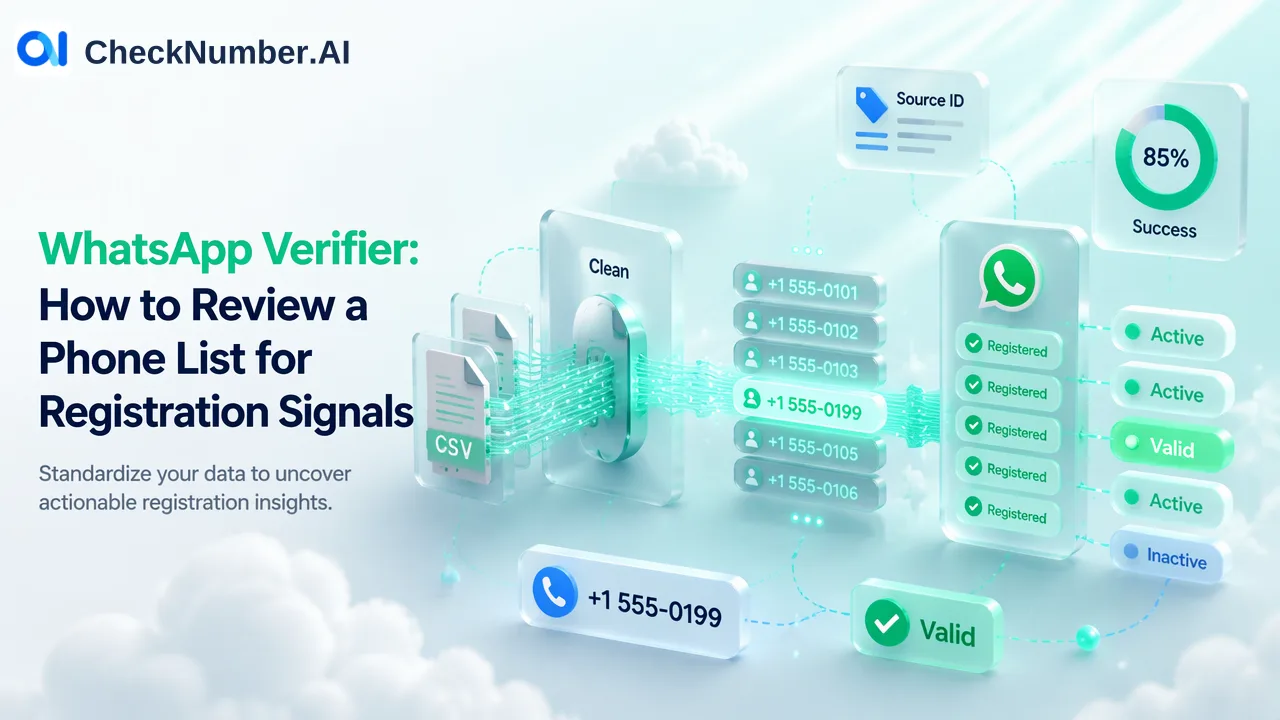
A WhatsApp verifier checks whether a phone number has a WhatsApp registration signal at the time of the check. For a list, prepare complete international numbers, upload a supported CSV or TXT file, and review the WhatsApp-specific result for each submitted contact. The signal can inform channel planning, but it does not identify the owner, prove consent, or predict a reply.
What a WhatsApp verifier answers
The practical question is narrow: does a phone list show a WhatsApp registration signal for the named platform when checked? That can help a team decide which records deserve further channel review. It is different from asking whether the number’s owner wants a marketing message, whether a phone is currently connected, or whether a message will be delivered. Keep those questions in separate fields of the team’s decision process.
For a single contact, first check that the number was collected correctly and that the intended country is known. For a large list, a repeatable file workflow is more useful because a manager can preserve the input, review exceptions and reconcile results with source records. CheckNumber.AI supports bulk phone-list checking through CSV or TXT uploads and REST API access for supported products. Its WhatsApp number checker is the relevant product for this platform-specific registration question. Do not treat a result from a different checker as a substitute.
The important distinction is between a signal and permission. WhatsApp’s responsible-use guidance advises contacting people who have reached out or requested contact and respecting requests to stop. A list owner needs its own consent and preference records. Registration alone supplies neither.
Prepare international numbers before a list check
Start from a controlled export rather than editing the live CRM in place. Keep an internal record ID beside each original phone field. Record the country associated with the contact from reliable CRM data; do not infer it solely from language or a campaign label. A Spanish-language segment might contain several countries, and a Portuguese-language segment is not automatically one numbering plan. The country’s numbering rules determine the complete number that should be checked.
Create a separate working file for each country. CheckNumber.AI’s phone-list upload guidance calls for one country per file and one number per line with a country code; the leading plus sign is optional. The ITU E.164 recommendation defines the international numbering framework. Use the correct country code and national number for each contact. Preserve the original field and any extension in the CRM mapping rather than silently replacing them during cleanup.
Review common import mistakes before upload: a missing country code, a local trunk prefix retained after converting to international form, a number copied with a label, or an extension appended to the base number. An ambiguous value belongs in a manual review queue. CheckNumber.AI’s free Number Cleaner can normalize phone numbers to E.164 and remove duplicates and invalid entries before a paid check. That preparation utility is distinct from the WhatsApp registration product; the latter should not be described as free.
If the team has records from several Latin American countries and Iberia, keep each country in its own input file. This avoids losing the country context during cleanup. A locally familiar digit string may represent a different number when paired with the wrong code, so verify the source country before interpreting the result.
Keep the result tied to its source record
Before submitting a deduplicated list, build a local mapping from each normalized number to every source record ID that supplied it. Two contacts can share a phone number, and one contact can have multiple numbers. Deduplication may save repeated checks, but it should not silently merge distinct people or organizations in the CRM. Store the original value, submitted value, source record ID and country in a customer-controlled mapping table.
Run the country-specific CSV or TXT file through the appropriate WhatsApp check. Export the checker-specific results for review. Avoid assuming a universal column layout across products or a fixed output row order; inspect the actual export and match each checked number to the local mapping. If a row cannot be reconciled confidently, mark it unresolved and investigate the source rather than assigning another person’s signal. A sound join is part of the team’s data work, not an undocumented automatic feature.
Separate the reviewed records into operational buckets: a usable WhatsApp registration signal, a different or unresolved result needing review, and records whose input was not suitable for checking. Use the actual product result labels in the team’s export instead of inventing a public schema. Keep the check date with the record, because the signal describes the check time rather than a permanent account state. If an organization later rechecks a contact, it should know which observation informed the earlier decision.
Use a registration signal responsibly
A WhatsApp registration signal can be one input to channel planning. A sales or support team can compare it with a contact’s stated channel preference, consent record and current inquiry. It should not automatically launch outreach. For an existing customer who asked to continue on WhatsApp, the signal can help staff review the number before taking that requested step. For a cold record with no permission history, the check does not create permission.
Keep the finding specific: it concerns WhatsApp registration at check time. It does not establish general phone validity, personal identity, ownership, activity, acceptance of marketing messages, or likelihood of response. A manager should also avoid turning a negative or unresolved result into a claim that the person does not use WhatsApp at all. It is safer to record what the particular check returned and decide whether further review is needed.
When a team needs ongoing bulk checks, keep input preparation, result interpretation and contact-policy review as separate stages. The CheckNumber product directory distinguishes checker products by capability. Select only the product that answers the current question, then retain a short audit record of the input file, date, reviewed exceptions and CRM updates. This procedure makes the analysis reproducible while leaving contact decisions with the organization.
FAQ
How can teams tell whether a list of numbers has WhatsApp registration signals?
Prepare complete international numbers in country-specific CSV or TXT files, run the WhatsApp-specific check and review the exported results against a local record-ID mapping.
Does a WhatsApp verifier show who owns a number?
No. A registration signal is platform-specific information at check time; it is not identity or ownership proof.
Can a checked number be used for outreach immediately?
The result does not establish consent. Teams need their own permission and preference records and should follow WhatsApp’s contact guidance before messaging.
Why should Spanish and Portuguese-speaking lists be split by country?
Language does not identify a numbering plan. Country-specific preparation helps teams apply the correct country code and inspect ambiguous local-format values before checking.