CheckNumber.AI
 · 8 min read
Telegram Number Checker Bots vs an Upload-Based Bulk Checking Service
A neutral comparison of checking phone numbers through a Telegram number checker bot versus uploading a prepared list to a bulk checking service.
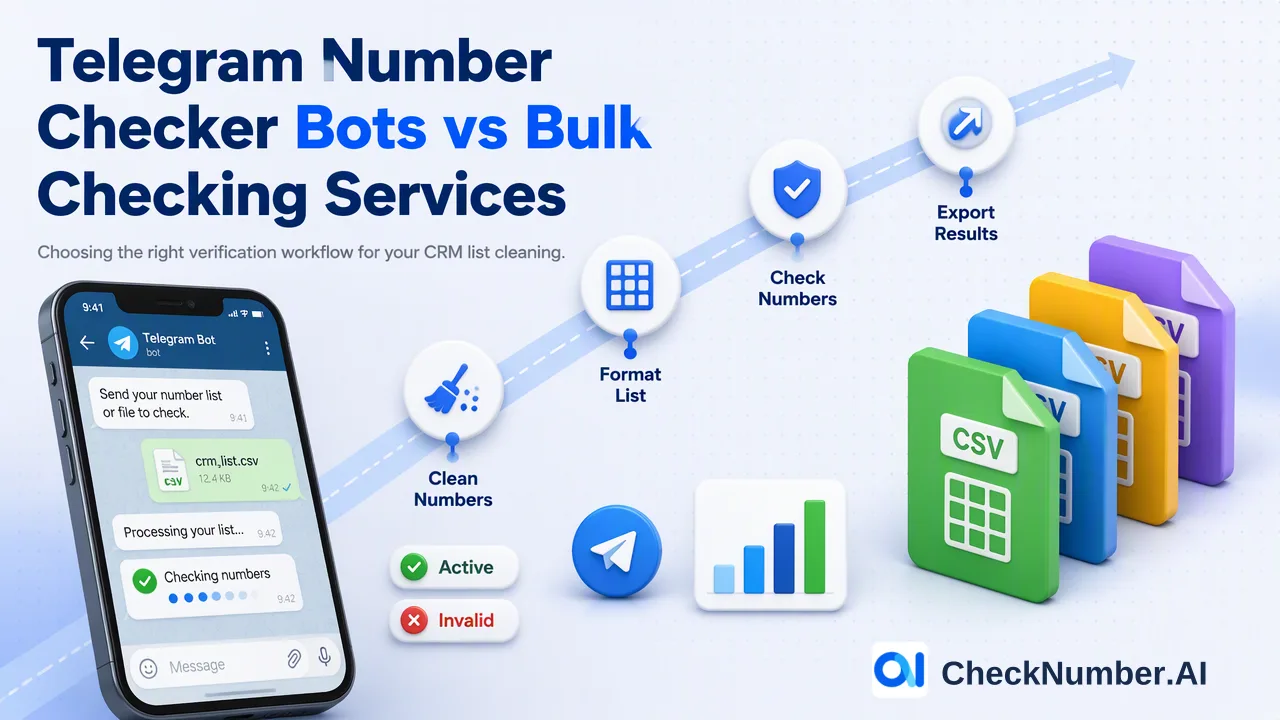
A Telegram number checker bot is a chat interface that accepts a phone number and replies with whether a Telegram account appears to be linked to it. It works well for a handful of one-off questions, but a bot is only a front end: Telegram’s own documentation says bots cannot resolve users by phone number, so the actual lookup runs somewhere else, often through a personal account session. For lists of hundreds or thousands of contacts, an upload-based service that accepts CSV or TXT files, returns an exportable result file and offers a REST API usually fits the workflow better.
How a Telegram number checker bot actually performs a lookup
Telegram separates bots from user accounts. According to the Telegram Bot API overview, bots do not need a phone number to be set up, and they cannot start conversations with users; a person has to message the bot or add it to a group first. The client method that looks up a user by phone number, contacts.resolvePhone, is documented with the note that only users can call it, and it respects the target user’s privacy settings. When no account is associated with a number, the method returns the error PHONE_NOT_OCCUPIED.
That has three practical consequences for anyone evaluating a checker bot:
- The bot relays the request. Whatever answer the bot posts back was produced by a user-account session or a separate backend that the bot operator runs. The bot itself is a messaging layer.
- Someone’s account is doing the work. If the backend is a personal Telegram account, the throughput and stability of the bot depend on that account, and heavy automated use is the operator’s risk to manage.
- Privacy settings shape the answer. Because the lookup method respects each user’s phone-number privacy settings, a bot that relies on it can return “not found” for numbers whose owners limited who can find them. The Telegram FAQ explains that phone-number visibility is controlled under Settings > Privacy and Security > Phone Number.
None of this makes bots useless. It means the useful questions are about who runs the lookup, how results are returned and what happens to the numbers you paste into a chat.
Telegram checker bot vs bulk upload: side-by-side comparison
The two approaches answer the same surface question, “is this number on Telegram?”, but they differ in almost every operational detail.
| Factor | Telegram number checker bot | Upload-based bulk checking service |
|---|---|---|
| Input | Numbers typed or pasted into a chat, sometimes a small attached file | A prepared CSV or TXT file, or REST API calls |
| List size handling | Built for conversational use; long lists usually mean repeated messages or bot-specific file rules | Built around files, with one country per file and one number per line |
| Output | Chat replies that someone has to copy out | A result file that can be exported for review and segmentation |
| Repeatability | Depends on manual steps each time | The same file preparation and export steps can be repeated for each new list |
| Integration | Limited to what the bot operator exposes | REST API access for supported bulk checking products |
| Who runs the lookup | Often undisclosed; may be a personal account session | The service runs the check; no personal Telegram session is linked by the customer |
| Data handling | Numbers pass through Telegram chat history and the bot operator’s backend | Numbers pass through the service’s upload or API workflow |
For a sales rep who wants to look at two or three numbers before a call, a bot can be the fastest path. For a CRM team cleaning an imported list before a campaign, the chat format becomes the bottleneck: results need to be copied, matched back to rows and saved somewhere the rest of the team can use.
How the upload-based Telegram check works step by step
An upload workflow replaces chat messages with a file. With the Telegram Checker, the sequence looks like this:
- Clean the list first. The free Number Cleaner in the dashboard Toolbox normalizes phone numbers to E.164 and removes duplicates and invalid entries before a paid check. Running it first keeps malformed rows out of the Telegram run.
- Split by country. Phone-list uploads use one country per file. A mixed list exported from a CRM should be divided into separate files, for example one for +49 numbers and one for +971 numbers.
- Format one number per line with the country code. The plus sign is optional, so
4915123456789and+4915123456789are both acceptable line formats. - Upload the CSV or TXT file and choose the Telegram Checker. It checks whether phone numbers are registered with Telegram.
- Export the results and join them back to the source list for review and segmentation in the team’s own tools.
Teams that need more than registration can choose a different named product rather than expecting extra columns from the standard checker. The Telegram Days Checker, for example, checks Telegram account presence and provides available activity or last-seen context plus available account-identifier and Premium-membership context. That context belongs to the Telegram Days Checker only.
Before starting, confirm the target country in the selected product’s current country selector. Phone-number products do not cover China mainland, and Hong Kong, Macau and Taiwan are unsupported for phone-number products except LINE.
When an API fits better than either a bot or manual uploads
Some teams need the check inside an existing pipeline, such as a lead form that writes to a CRM or a nightly job that prepares a calling or messaging list. In that case neither a chat bot nor a manual upload is ideal. REST API access is available for supported bulk checking products, so a developer can submit a prepared list programmatically and write the returned Telegram result into a CRM field.
Keep the integration grounded in the current API documentation for request format, returned fields and applicable limits, because those details are defined per product. A practical design stores three things next to each contact: the checker used, the result and the date of the check. The date matters because a registration result reflects the moment of the check, and older results should be refreshed before a new campaign.
Data handling questions to ask before pasting numbers anywhere
Phone numbers are personal data in most jurisdictions, so the choice of tool is also a data-handling decision. These questions apply to any bot, script or service:
- Who operates the lookup? Ask whether results come from a personal Telegram account, a shared pool of accounts or a dedicated service, and whether that is disclosed.
- Where do the numbers go? With a bot, numbers sit in Telegram chat history on both sides of the conversation. With a service, they go through its upload or API workflow. Check the provider’s privacy policy for each path.
- How long is input kept? Look for a stated retention period for uploaded lists and result files, and for a way to delete them.
- Can results be exported cleanly? A result that only exists as chat messages is hard to audit later.
- Does the operator follow platform terms? Telegram’s API Terms of Service require apps built on the API to treat user data with care and not act for users without their knowledge or consent.
Answers to these questions are usually more decisive than speed claims, which are hard to compare across tools.
Reading Telegram results responsibly
A Telegram registration result is a platform-specific reachability and deliverability signal at check time. It answers one narrow question about Telegram and is most useful for channel planning: deciding which segment of an already-consented audience could be reached on Telegram and which segment should stay on email, SMS or phone.
The result does not stand in for consent. Recipients still need prior express and informed consent before any outreach, and that record lives in the team’s own CRM or consent management system, not in a checker export.
A short checklist helps whichever route a team chooses:
- Confirm the list was collected with consent for the intended channel.
- Clean and normalize numbers before checking, and split them by country.
- Record which checker produced each result and when.
- Re-check older lists before reuse instead of relying on last quarter’s export.
- Review the provider’s data-retention and deletion options before uploading.
FAQ
How can teams decide between a Telegram checker bot and a bulk upload?
Volume and reuse are the deciding factors. A bot suits a few ad hoc numbers that nobody needs to keep. A bulk upload suits lists that need cleaning, splitting by country, an exportable result file and a record of when the check ran.
Why can a checker bot report “not found” for a number that uses Telegram?
Bots that rely on the Telegram user lookup method are subject to each user’s privacy settings, because Telegram documents that the phone-number lookup respects them. The bot operator’s own setup can also affect results, which is why it helps to ask how a bot performs its lookups.
How should a Telegram list file be formatted for upload?
Use one country per file and one number per line with the country code; the plus sign is optional. CSV and TXT files are supported. Running the free Number Cleaner first normalizes numbers to E.164 and removes duplicates and invalid entries.
Can Telegram checks run through an API instead of a chat?
Yes. REST API access is available for supported bulk checking products, including list checks for Telegram registration. Field names, request format and applicable limits are listed in the current API documentation.