CheckNumber.AI
 · 7 min read
Carrier Checker: How to Look Up Carriers for a Phone Number List
A practical guide to running a carrier checker on a full phone list, using a free single-number lookup for spot checks, and applying carrier data to routing and segmentation.
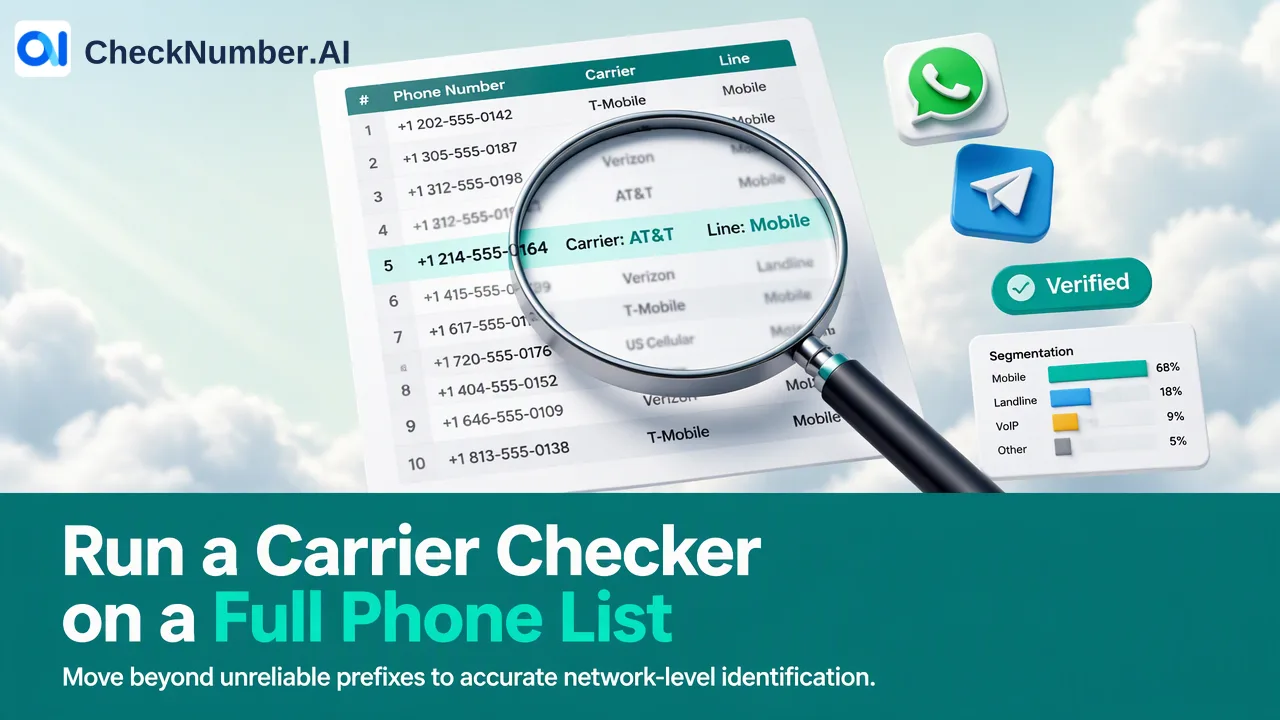
A carrier checker shows which network a phone number is associated with, together with line type, country, and regional context. To look up carriers for a phone number list, clean the numbers into international E.164 format, split the file by country, upload it as a CSV or TXT file to a dedicated carrier product, and export the results for routing and segmentation. For a handful of numbers, a free single-number carrier lookup in the dashboard Toolbox is usually enough.
What a carrier checker returns and why teams use it
A carrier checker answers a network question: which operator a number belongs to, what kind of line it is, and where it sits geographically. On this site, two dedicated products cover that question:
- Global Carrier Checker identifies carrier, line type, country, and regional context for phone numbers across supported countries.
- Advanced US Carrier Checker identifies carrier, line type, and regional context for United States and Canada numbers.
Teams usually want this data for one of four jobs:
- Message routing. SMS gateways and aggregators often price or route traffic per destination network, so knowing the carrier helps operations teams choose a route per segment.
- Line-type filtering. A landline or VoIP number may need a voice or email path instead of a text path, so line type helps separate rows before a campaign is built.
- Regional planning. Country and regional context support send windows in local time and per-market reporting.
- Data quality reviews. Carrier and line-type columns make it easier to spot imported rows that do not match the market a list was supposed to cover.
Carrier data describes the network side of a number. Whether that number is registered with WhatsApp, Telegram, or iMessage is a separate question answered by separate registration-signal products, so keep the two kinds of columns apart in your CRM.
Why the number prefix is not a reliable carrier checker
Many teams start by reading the first digits after the country code and mapping them to an operator. That shortcut was never perfect and gets weaker every year because of number portability. The FCC’s consumer guide on keeping your phone number when you change providers explains that subscribers can keep their number when they switch between wireline, IP, and wireless providers in the same area, and that simple ports are expected to complete within one business day. Similar portability rules exist in many other markets.
The practical result: a prefix tells you which operator was originally assigned a block of numbers, not necessarily which network serves the number today. A spreadsheet that maps prefixes to carriers can therefore misroute a meaningful share of a list without any visible error. A carrier lookup result, stored with the date it was produced, is a better input for routing rules than a prefix table, and the date tells everyone how old the information is.
Spot checks with the free Toolbox carrier lookup
The dashboard Toolbox includes a free carrier lookup alongside number generation, number cleaning, email generation, and email cleaning. It fits situations where a full list check would be excessive:
- Confirming the network of a few numbers that a gateway reported as failed.
- Checking a small sample from a new data source before deciding whether the full file is worth processing.
- Answering a one-off question from sales or support about a specific contact.
A simple routine for spot checks:
- Write the number with its country code, for example in E.164 style with a leading plus sign.
- Run it through the Toolbox carrier lookup.
- Note the carrier and line type in the ticket or CRM record, with the date.
- If several sampled numbers from the same source look inconsistent with the expected market, review the whole source before running a bulk check.
Once the question covers hundreds or thousands of rows, move to the bulk workflow below so the results come back as one exportable file instead of manual notes.
How to run a carrier checker on a full phone number list
The bulk workflow is the same shape for most phone products, with carrier-specific choices at step four.
- Export the numbers. Pull the phone column from the CRM or spreadsheet together with a stable record key so results can be joined back later.
- Clean the list first. The free Number Cleaner normalizes phone numbers to E.164 and removes duplicates and invalid entries before a paid check. Local formats with a leading trunk zero or a missing country code are the most common source of wasted rows, and the ITU-T E.164 recommendation is the reference for the international format.
- Split by country. Phone-list uploads use one country per file and one number per line with the country code; the plus sign is optional. A mixed-country export should become one file per country.
- Choose the carrier product. Use Advanced US Carrier Checker for United States and Canada files and Global Carrier Checker for other supported countries. Confirm each country in the product’s current country selector before uploading; phone-number products do not cover mainland China, and Hong Kong, Macau, and Taiwan are unsupported for phone-number products except LINE.
- Upload or call the API. Upload the cleaned CSV or TXT file in the dashboard, or use REST API access if the check belongs inside an automated pipeline. Parameters and applicable limits are in the current API documentation.
- Export and join back. Download the results and match them to the original records using the key from step one. Add a column with the check date.
Turning carrier results into routing and segmentation rules
Carrier output is only useful when it changes what happens next. A simple mapping keeps decisions consistent across teams:
| Result column | Typical decision | Owner |
|---|---|---|
| Carrier | Pick an SMS route or provider per destination network; compare delivery reports per network | Messaging operations |
| Line type | Send mobile rows to the text path; send landline or VoIP rows to voice, email, or manual review | Campaign owner |
| Country | Split campaigns and reporting by market; apply each market’s consent and sending rules | Marketing and compliance |
| Regional context | Schedule sends in local business hours; assign regional sales owners | Sales operations |
A few habits make these rules hold up over time:
- Store results as dated fields, not overwritten text, so a later port shows up as a change rather than a silent mismatch.
- Re-check before large sends to older lists, because the age of the result matters more than the age of the contact.
- Keep segmentation decisions separate from consent. Carrier and line type say nothing about whether a contact agreed to hear from you; outreach still requires the recipient’s prior express and informed consent.
- Track per-network outcomes in your own sending reports. Carrier information can inform routing, while actual delivery depends on the route, content, and recipient.
Common mistakes when checking carriers in bulk
- Uploading mixed-country files. One country per file keeps formatting and coverage questions simple.
- Skipping cleaning. Duplicates and malformed rows inflate the check and make joins harder; run the Number Cleaner first.
- Treating carrier and registration as the same signal. A carrier result does not tell you whether a number uses a messaging app, and a registration-signal product does not tell you the carrier. Use the product built for each question.
- Relying on a single old snapshot. Portability means results age; keep the check date and refresh before decisions that depend on the network.
FAQ
How can teams decide between the Toolbox carrier lookup and a bulk carrier check?
Use the free Toolbox carrier lookup for a few numbers, such as troubleshooting a failed send or sampling a new data source. When the question covers a whole list or needs an exportable file that joins back to CRM records, clean the list, split it by country, and run Global Carrier Checker or Advanced US Carrier Checker as a bulk upload or through the REST API.
How often should teams refresh carrier data for a phone list?
Refresh before any large send to a list whose last carrier check is several months old, and whenever delivery reports for one network change sharply. Because numbers can be ported between providers quickly, a dated carrier field is more useful than a permanent one.
How can line-type results be used in an SMS workflow?
Route mobile rows to the text path and move landline or VoIP rows to voice, email, or manual review. Keeping the line-type column in the CRM also helps campaign owners explain why some contacts were excluded from a text-only send.
Which carrier product fits a list of United States and Canada numbers?
Advanced US Carrier Checker is the dedicated product for United States and Canada numbers and identifies carrier, line type, and regional context. For other supported countries, Global Carrier Checker identifies carrier, line type, country, and regional context.