CheckNumber.AI
· 7 min read
Phone Number Strings in API Serialization: Preserve Every Digit
A developer test plan for preserving phone values as strings from capture through bulk export.
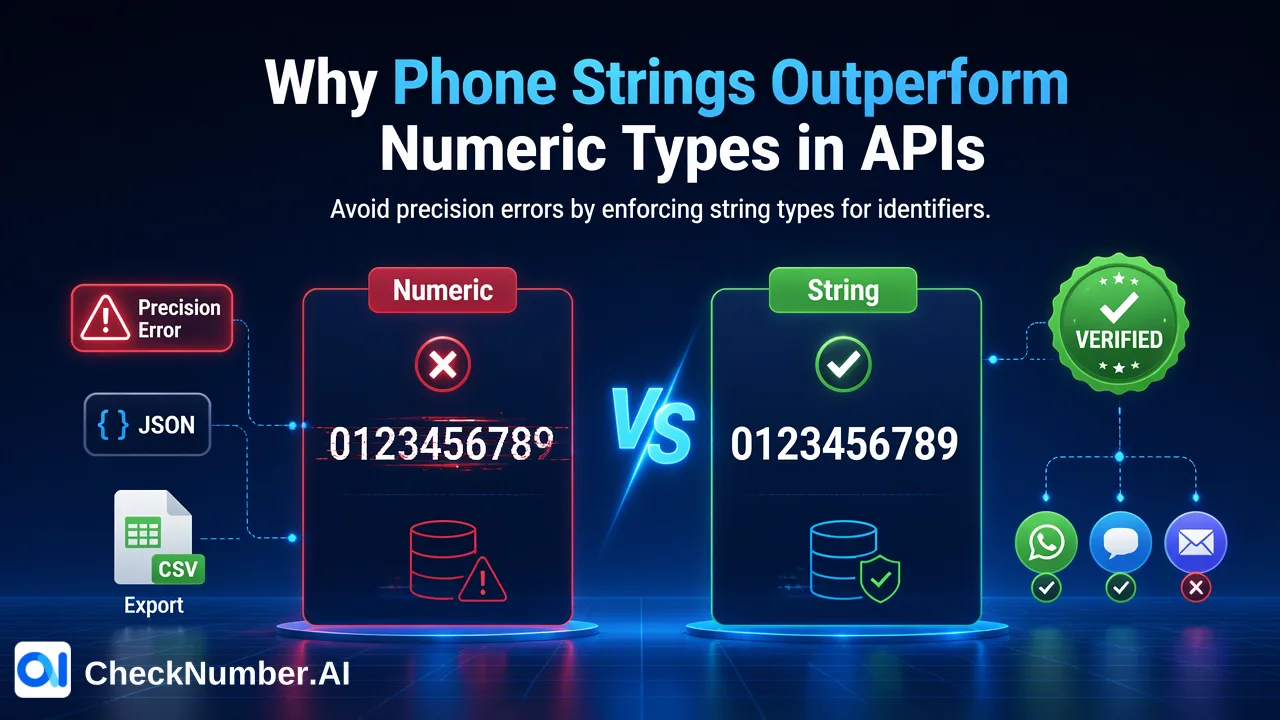
Phone number strings in API serialization should remain text from capture through JSON, storage, and export. A phone value is an identifier, not a quantity to calculate, so numeric conversion can lose a leading zero, plus sign, or significant low-order digits. Before bulk submission, use a round-trip fixture that compares the original phone text with the final machine-readable value and flags any unexplained change.
Why phone number strings matter in an API workflow
A developer may see a field full of digits and choose a numeric type by habit. That is risky because the field is an identifier. Arithmetic is not meaningful, and converting to a number can remove a leading zero or reject a leading plus sign. JavaScript has a particular precision boundary: MDN’s Number reference explains that integers beyond its safe range can be corrupted when parsed from JSON into Number values. Google’s libphonenumber FAQ documents a phone parsing case where the smallest digits changed because of JavaScript number precision.
Even shorter values can be altered by data handling. A CRM field may omit a country code, a local number may have a meaningful leading zero, and a spreadsheet may display a rounded value. The invariant for the developer is not “all inputs are valid phone numbers.” It is “the application can identify what text it received and what text it later submitted.” Validation and normalization can follow, with each change recorded separately.
This article concerns the customer’s data pipeline before a CheckNumber bulk workflow. CheckNumber supports bulk checking of supported phone-number lists by CSV or TXT upload and REST API access. Its documented product capabilities do not imply that the service repairs a number already corrupted in the customer’s JSON or database.
Trace the value across every boundary
Write down the path a phone value takes: lead form or source file, application request, JSON parsing, database column, application read, export transform, final CSV or TXT bytes, and bulk submission. At each step, identify the data type and whether any formatting function may change characters. A display label in a user interface is not enough; the underlying stored text and final export are what matter.
Store the original text and a separate prepared value. If a country-aware normalization step changes punctuation or adds a confirmed country code, the prepared value can differ legitimately, but the original must remain available for comparison. Do not overwrite the only copy of the source value while debugging a conversion. If a number is already rounded when it arrives from an upstream numeric field, casting that rounded value to a string cannot recover the lost digits. Return to the authoritative source rather than inventing missing characters.
The ITU-T E.164 recommendation describes the international numbering plan. CheckNumber’s free dashboard Number Cleaner can normalize phone numbers to E.164 and remove duplicates and invalid entries before a paid check. That preparation is distinct from the developer’s obligation to preserve source text. Country-aware normalization should be reviewed against known country context before a bulk file is built.
Build a developer round-trip fixture without assuming a product schema
Create a customer-side fixture with a stable test record ID, original phone string, confirmed country, and expected prepared string. Make several synthetic cases: a value with a leading plus sign, a local value with a leading zero, a long digit string chosen to reveal numeric precision errors, a value with separators, and a duplicated value associated with two separate record IDs. Use reserved or non-contact test values in the team’s own environment, and label them as synthetic. This fixture tests serialization and mapping; it does not assert that any test value is a real, valid, or registered number.
For each case, assert the following path in the customer application: the captured field is text; the JSON representation remains a string; the database round trip returns identical original characters; and the final export contains the intended prepared text. If normalization is part of the pipeline, compare its output against a separately reviewed expectation and keep the original string. A digit-count check and a character-by-character comparison can catch a conversion that a visual spreadsheet preview hides.
Add one test for a shared number across two record IDs. The export may deduplicate a lookup input, but the customer-side mapping must still connect the eventual number-level observation to both source records. Do not assume a checker export retains custom IDs or source order unless the selected product’s current contract says so. The fixture should exercise the customer’s mapping process without manufacturing an API request or a checker response example.
Inspect the final export as data, not a spreadsheet view
A CSV opened in spreadsheet software may be reformatted for display. The final file should be inspected as machine-readable text before it is submitted. Verify the exact characters on each phone line, especially the plus sign, leading zeros, country code, and last digits. If the export is generated from a database query, compare a sample of lines with the original and prepared values stored under the same test IDs.
For CheckNumber phone-list uploads, use one country per file and one number per line with the country code; the leading plus sign is optional. Supported uploads use CSV or TXT. These upload rules should not be copied blindly into an undocumented REST request shape. Developers should use the current API documentation for the selected supported product and confirm its actual interface and limits before implementation.
Hold records with missing country evidence or unexplained digit changes in a customer-managed review queue. A clean export that contains the wrong number is worse than an explicit exception because the check may complete while the result is attributed to the wrong source record. Keep the exception reason and source ID so the upstream data owner can correct it.
Make preservation a release condition
Run the round-trip fixture whenever code changes a parser, JSON model, database type, import mapping, or file exporter. Compare the original and prepared values at fixed boundaries rather than checking only that the application finished without an error. A test should fail when an unexplained character disappears, appears, or changes position. It should also fail when a final exported line cannot be joined to the intended source record.
For production lists, reconcile source rows, distinct prepared numbers, held exceptions, submitted lines, and later matched results. These are customer-side audit counts, not expected checker performance figures. A mismatch can reveal dropped rows or deduplication that lost the mapping. When the later question concerns a documented validity signal, review the Phone Number Checker as a separate step. Checker-specific results can be exported for customer-controlled review and segmentation, but their interpretation depends on the named product selected after input preparation.
The key development rule is simple: preserve identifiers as text, make normalization explicit, and verify the final bytes that enter the bulk workflow. This protects the meaning of a subsequent check without claiming that serialization itself establishes number validity, ownership, or platform registration.
FAQ
How can developers prevent phone digits from changing in JSON?
Keep the value as a string end to end and test a round trip through parsing, storage, and export. A numeric conversion can lose meaningful characters or precision.
Can converting a rounded number back to text recover lost digits?
No. The authoritative source must be checked when the value was already altered before it reached the application.
What should a phone-string fixture include?
Use synthetic cases for leading plus signs, leading zeros, long digit strings, separators, and duplicate values mapped to distinct source IDs, then compare the final export with reviewed expectations.
Where should developers find the CheckNumber API input format?
Consult the current API documentation for the selected supported bulk product. This article describes a customer-side preservation test rather than an API request schema.