CheckNumber.AI
 · 6 min read
MAX Messenger Number Checker: A Phone List Workflow
Learn to prepare a MAX phone list, choose the correct checker, and interpret registration or enrichment results within their documented limits.
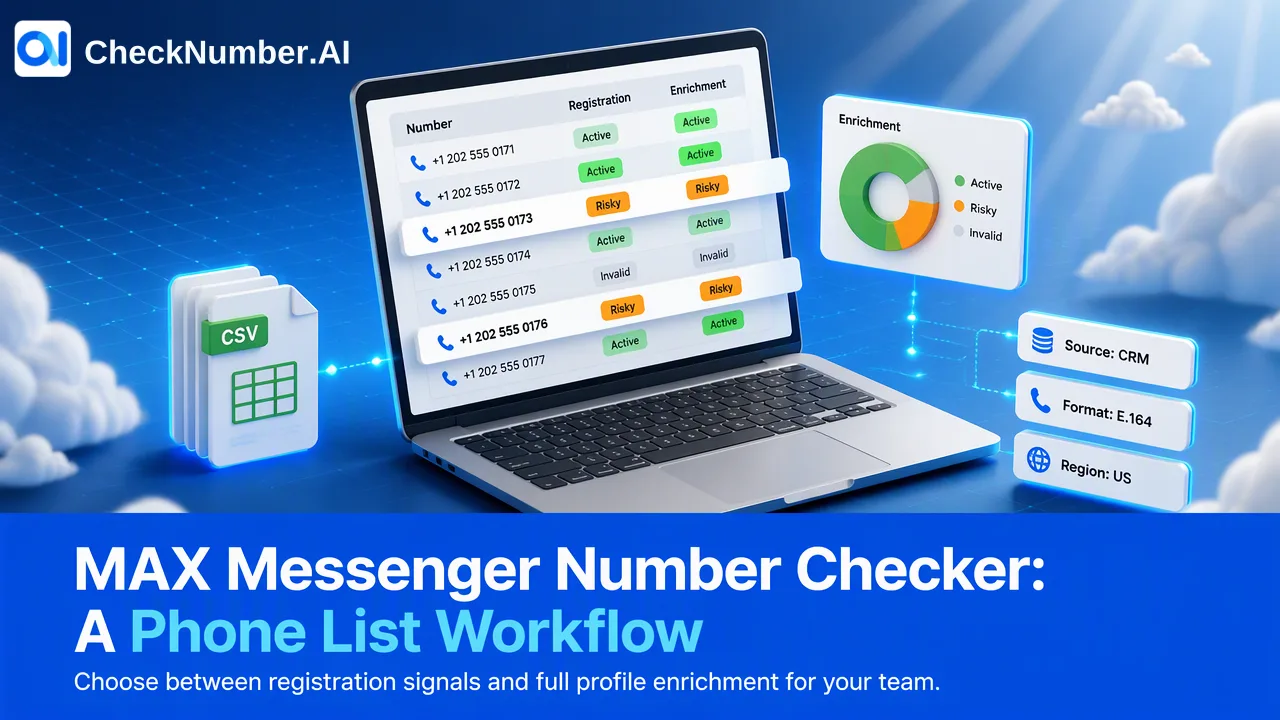
A MAX Messenger number checker lets a team submit a prepared phone list and review MAX registration signals at check time. Choose MAX Checker when that narrow question is enough; consider MAX Full Info Checker only if its separately documented profile, demographic, and activity enrichment answers a real review need. Neither product establishes consent, identity, or a guaranteed communication outcome.
What the MAX Messenger number checker can tell a team
MAX is a messaging platform that uses phone numbers in account registration. MAX’s own registration guidance describes entering a phone number and confirming it with a code. A business list check, however, is not the same task as logging into MAX or viewing a person’s conversations. It asks whether a held number has a platform-specific registration signal when checked.
CheckNumber.AI lists two distinct products. MAX Checker has the high-level capability to check whether numbers are registered with MAX. MAX Full Info Checker also documents available profile, demographic, and activity enrichment, as well as an account-identifier signal. Those are separate product capabilities; an ordinary MAX Checker result must not be described as containing profile or activity information. The exact columns available in an export should be read from the selected product’s current documentation and actual checker-specific result, not guessed from a product name.
A registration signal may help a team prioritize its own review of a consented audience. It does not confirm who owns a number, whether that person currently uses the account, or whether a message will be delivered or answered. Keep that scope visible to everyone who reads the export. This makes the result more useful than a broad label such as “verified MAX user,” which implies facts the check does not supply.
Prepare country-coded files without guessing coverage
Begin with a permitted source list and retain a stable identifier for each original record. Normalize telephone values before uploading. CheckNumber.AI’s documented free Number Cleaner can put numbers into E.164 form and remove duplicates and invalid entries before a paid check. The cleaner addresses input quality; it does not establish MAX registration. If a local number is ambiguous, seek the correct country information from the source record rather than inventing a code.
For phone-list uploads, the documented format is a supported CSV or TXT file with one country per file and one number per line, including a country code. A leading plus sign is optional. If the CRM export mixes countries, split it into separate files. Do not assume that MAX account registration rules and CheckNumber.AI product coverage are identical. MAX’s registration help explains its own user flow; the selected checker’s country selector is the place to confirm current supported regions for a check. Avoid making coverage claims from an old article or a general web search.
Maintain a simple manifest for each submitted file: source system, extraction date, country, number of original records as counted by the team, selected product, and check date. Keep the source-to-cleaned-number mapping protected within the organization. This lets reviewers explain how an exported row relates to a CRM record without publishing the full contact list or implying that the number itself is a durable person identifier.
Choose MAX Checker or MAX Full Info by the decision
First define the smallest answer the team needs. If the decision is only whether to separate records with a MAX registration signal from records needing another review path, select MAX Checker. If an approved workflow genuinely needs the separately documented enrichment categories, inspect MAX Full Info Checker. Do not buy or process enrichment merely because more columns sound useful. Establish how each available field would change a human decision and who may inspect it.
The word “profile” is especially easy to overread. An available profile or demographic signal is not confirmed identity, verified age, or proof that a particular person controls the number. Treat AI-inferred attributes as unconfirmed inferences. Do not fill empty enrichment values with assumptions or infer the cause of an unavailable field. A number can have a platform registration signal while some optional detail is absent, and this article does not claim a fixed relationship between those outputs.
Activity information belongs only to the product that documents it. Even when an activity signal is available, it may support prioritization but cannot promise a reply or explain a person’s intent. Customer-defined review rules might send certain records to a manual queue or limit use to aggregate planning. Those are team governance choices, not automatic decisions made by the checker. Record the chosen rule beside the output so future analysts do not mistake a discretionary workflow for a product fact.
Export results and maintain a defensible interpretation
Submit the prepared file through the supported bulk workflow, or use REST API access where the selected product’s documentation supports the integration. The current profile does not list MAX-specific endpoint paths, payloads, rate limits, or response envelopes. Developers should consult the current CheckNumber API documentation before implementing and avoid reusing a sample for a sibling checker as though schemas were universal.
When the checker-specific result is exportable, join it back to the source by the controlled mapping. Keep original number, normalized number, selected product, check date, exported outcome, and internal action separate. Review unmatched rows. An absent or unclear outcome should not be silently converted into proof of no account. If results are used later, consider whether the age of the check still fits the decision. Registration signals describe check-time information rather than a permanent customer trait.
Consent is a separate input. MAX’s contact help explains that a user can search for a contact by number inside MAX, but this does not authorize a business to message everyone in an imported list. Teams should apply their own prior express and informed consent records and contact preferences. If a record is opted out, a positive MAX signal does not change that status. The responsible final decision belongs to the organization, with the checker result serving only its documented scope.
FAQ
How can teams prepare a list for MAX checking?
Normalize numbers, preserve source identifiers, and use supported one-country CSV or TXT files with country-coded numbers. Confirm the selected product’s current country coverage.
When should a team use MAX Full Info Checker?
Use it only when its separately documented available profile, demographic, or activity categories fit an approved review task. MAX Checker itself provides a registration signal.
Can MAX enrichment identify the person behind a number?
No. Available profile and inferred demographic attributes are not confirmed personal identity or ownership evidence.
Does a positive MAX result permit outreach?
No. A platform registration signal and prior express, informed consent are separate records and decisions.