CheckNumber.AI
 · 7 min read
RCS Checker: How to Find Which Numbers in a List Support RCS
A practical guide to preparing, checking, and interpreting RCS support across a phone list.
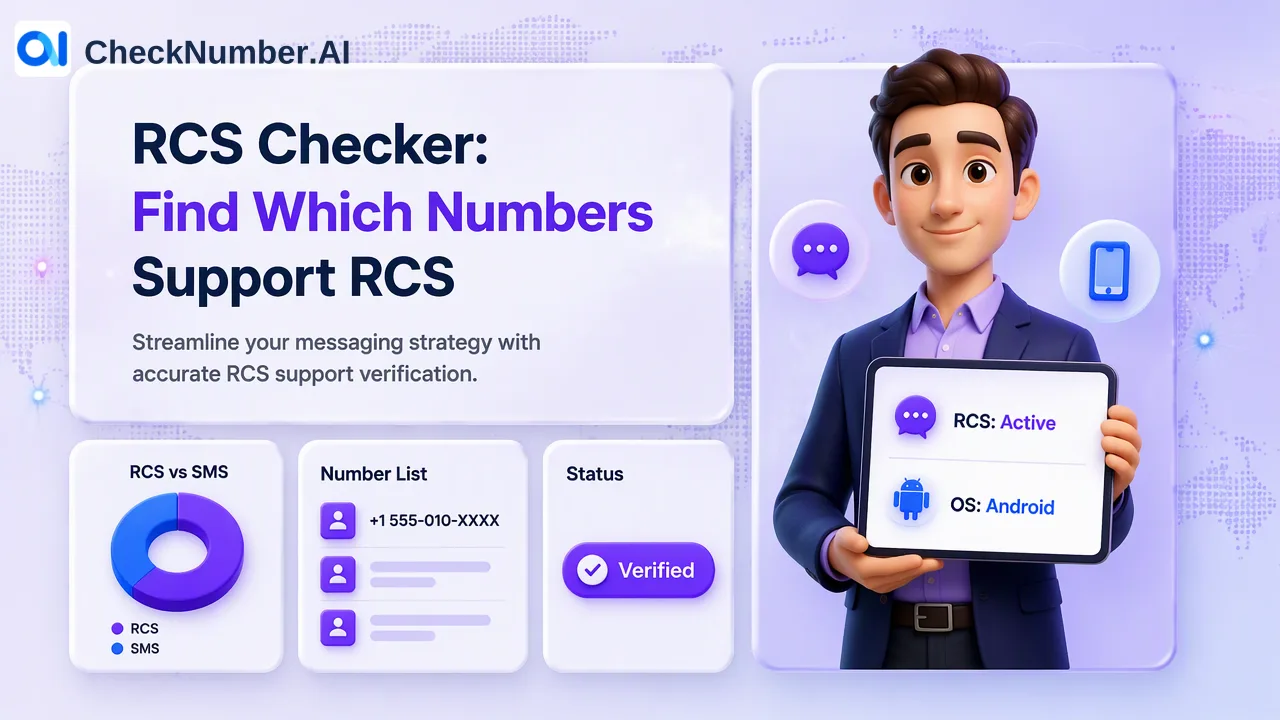
An RCS checker can identify which numbers in a prepared phone list currently show an RCS support signal. For a bulk review, normalize the numbers, group them by country, submit a supported CSV or TXT file to the named RCS Checker, and review the exported result against the original list. Use the result to inform a customer-controlled choice between RCS and SMS, while keeping permission and campaign rules in the team’s own workflow.
What an RCS checker answers for a phone list
RCS is a messaging protocol rather than a social-network account. A team planning a rich-message campaign needs a practical question answered for each contact: does the number show RCS support at the time of checking? The GSMA Universal Profile describes the shared technical foundation of RCS across participating ecosystems. That background explains why a list-level support check can be useful even when the contact database contains numbers from different devices.
CheckNumber.AI’s RCS product description identifies a support indicator and an available operating-system signal, described as iOS or Android. These are separate pieces of information. The support indicator addresses the selected messaging channel; the system signal can help an analyst organize a review when available. Neither should be silently converted into a carrier name, handset model, current device state, or account-owner record.
Start with the decision the team actually needs to make. If the decision is whether to include a contact in an RCS candidate segment, the RCS support signal is relevant. If the decision concerns carrier or line type, the RCS Checker is the wrong source; use the named carrier product instead. If the question is whether a phone number is valid, use the dedicated validity capability. Keeping these questions distinct prevents a neat-looking spreadsheet from becoming a misleading one.
Prepare one-country files before a bulk RCS check
A reliable review starts with the source list, not with the checker. Export the phone numbers from the CRM or campaign planning system with a stable internal reference that the team can use after results arrive. Keep that reference in the team’s own working copy. Then normalize the phone-number column to international E.164 form. CheckNumber.AI’s Number Cleaner is documented to normalize numbers, remove duplicates, and remove invalid entries before a paid check. Review the cleaner’s exclusions rather than assuming that every removed row represents a real person who cannot be reached.
For phone-list uploads, use one country per file and one number per line with its country code. A plus sign is optional under the current product instructions. Splitting a mixed-country export makes formatting review easier: analysts can spot missing country codes, numbers copied with local trunk prefixes, and rows whose country assignment is uncertain. A number without a reliable country assignment should go into an exception queue for a person to examine, rather than being guessed into a batch.
CSV and TXT are supported list-upload formats. Keep the original export and the normalized input as separate versions so that a reviewer can trace how an individual record entered the check. For recurring jobs, the platform also documents REST API access for supported bulk products. The current RCS API documentation should be consulted for the actual integration contract; a generic example borrowed from another checker could misstate fields or behavior.
Run the RCS check and read each returned signal
Select the RCS Checker for this specific task, then submit the prepared list through the supported dashboard workflow or the documented API route. Export the results for a customer-controlled review. Match results back to the source numbers before assigning any campaign segment; the order of a downloaded file should never serve as the only join key in a business process. Preserve the check date alongside the result, because a support signal answers a question at check time, not forever.
Read the support indicator as an RCS-specific observation. A positive indication may inform an RCS candidate group. A negative or otherwise unusable row calls for the team’s own fallback or review rule; it should not be automatically described as a dead phone number. The available iOS or Android system value can be retained as its own column for analysis. If that value is absent, do not fill it by guessing from the RCS outcome. The Google Messages help page also illustrates that RCS availability can depend on the user’s messaging setup, reinforcing the need to treat an observed support signal as time-bound.
An internal review table can be deliberately simple: original CRM reference, submitted normalized number, check date, RCS support observation, available system observation, and analyst disposition. These are suggested columns for the team’s own file, not a claim about the product’s export schema. A separate disposition such as RCS candidate, SMS review, or manual exception records the team’s decision without altering the observed result.
Choose an RCS or SMS path with explicit decision rules
RCS support is useful only when someone can explain what action follows it. Before loading a campaign, define the rule for a positive support observation, the rule for a negative observation, and the rule for a missing or questionable result. For example, a team may place positives in an RCS candidate segment and send the rest for an SMS eligibility review. That is a customer-defined routing example, not an action performed by the checker.
Keep the channel decision separate from audience permission. A support signal does not establish prior express and informed consent for outreach. The team’s own records must establish whether contact is authorized for the intended purpose and channel. The same is true of suppression lists, local campaign requirements, and the specific message content. These checks belong in campaign governance even when the technical list review is complete.
Do not treat the system observation as a substitute for RCS support. An iOS or Android label is context, not proof that a particular message will take a particular path. Keep network-related routing decisions in a separately documented review. A different, specifically named carrier product can supply carrier context when that question matters; label its observation separately from RCS support. A narrow, well-described decision rule is easier to audit than a single opaque eligible flag.
Review exceptions and maintain the list over time
Bulk lists contain mundane problems that matter. Duplicate CRM records may point to one normalized number; a missing country code can distort matching; an old campaign extract may no longer reflect the current audience. Record what was cleaned, what was excluded, and what was checked. Do not overwrite the original CRM number with a checker result or delete uncertain contacts automatically. Instead, retain a review path that can distinguish source-data problems from a channel-support observation.
Recheck at an interval justified by the team’s campaign cycle and the age of its contact list. There is no universal freshness period implied by the checker. If the list changes between screening and sending, compare the final audience to the checked snapshot so that newly added records are not silently treated as screened. Keep the check date visible to anyone approving the channel plan.
This approach gives each signal a precise role: formatting prepares an input, the RCS Checker supplies an RCS-specific support observation, and the campaign team decides how to route contacts it is permitted to reach. That chain is more useful than a broad claim that every number in a file is ready for a rich-message campaign.
FAQ
How can teams check RCS support for many numbers at once?
Teams can prepare a one-country CSV or TXT list of international phone numbers, run the named RCS Checker through its supported bulk workflow, and export the results for review against the source list. The REST API is another documented path for supported recurring workflows; teams should use the current product documentation for its contract.
What should teams do with a missing system observation?
Keep it missing in the review file and interpret the RCS support observation on its own terms. The available system field is additional context, not a value that should be inferred from a support result.
How can teams route contacts after an RCS check?
Define customer-controlled rules for RCS candidates, SMS review, and exceptions, then apply the team’s own permission and suppression records before any campaign. A check supplies an input to that decision; it does not send a message.
How often should an RCS candidate list be reviewed?
Review it whenever the audience or campaign cycle makes an older snapshot unreliable. Preserve the date of each check and compare a final audience export with the screened snapshot before using the result.