CheckNumber.AI
· 5 min read
LinkedIn Email Checker or Profile Checker: Which Does Your List Need?
Choose the LinkedIn check by the decision you need to make from an existing email list.
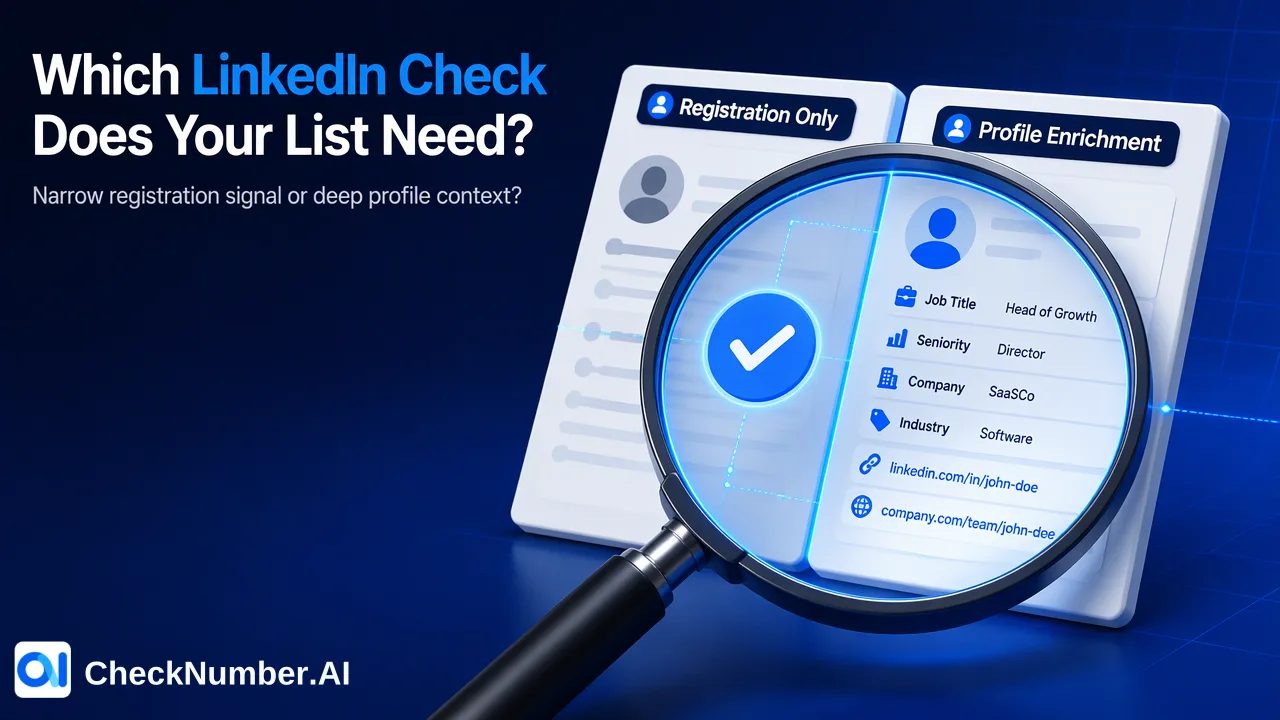
If you already have a contact email, choose our LinkedIn Email Checker when the question is whether that address has a LinkedIn registration signal. Choose LinkedIn Email Profile Checker when a person reviewing the record also needs available professional profile context. The second route adds possible context, not a promise that every field will be populated or correct.
Start with the decision behind the list
Imagine a business development team preparing a small set of existing contacts for account research. A colleague asks whether each email is associated with LinkedIn. Another colleague needs to compare a person’s apparent role with a company record before deciding which records deserve manual review. Those are different questions even though the starting column is the same.
A registration result is a narrow answer about an email and a named platform at the time of the check. It may be enough for a team that only wants to mark records for a later, separate review. If the work actually calls for a profile URL or job title to examine, the registration result alone does not supply that context. Decide which work follows the export before choosing the checker. That prevents a useful but narrow signal from being asked to perform a different job.
What the two LinkedIn email checks return
Our LinkedIn Email Checker accepts email addresses and documents an email and an activated registration result. For a list owner, the useful output is a separate platform-signal column alongside the original address. A positive result can inform a LinkedIn-specific review; it does not turn the address into a confirmed person or a verified mailbox.
LinkedIn Email Profile Checker also starts from email addresses and includes a registration signal, then may add fields such as a first name, last name, job title and LinkedIn URL. Its documented result also includes other profile or inferred attributes, but the fields can be empty. If your reviewer needs to inspect a possible professional match, a usable URL and role can make that review more focused. Treat a job title or personal attribute as context to check, especially when it is inferred or old, rather than as an authoritative identity record.
For example, suppose a row contains an email for a supplier contact but the CRM company field is blank. A registration-only result answers the platform question. A profile result with a URL and job title can give the reviewer a place to compare the contact with the supplier record. If those fields are absent, the row remains unresolved for that purpose. Do not manufacture a match from the registration flag.
Pick the smaller answer that completes the task
Choose registration-only when a simple platform association is the planned output. It keeps the decision close to the original question and avoids asking reviewers to interpret extra attributes they do not need. Choose profile enrichment when someone has a defined follow-on task, such as checking a possible role or inspecting a possible professional profile. Before running a larger list, try representative addresses and see whether the available profile fields are useful for that task.
The distinction also matters when colleagues use the phrase “find a LinkedIn email.” Here the input is an email you already hold. The output is a LinkedIn registration signal or available profile context. It is a different direction from starting with a profile and looking for a new email address. State the input and desired output in the request so the team selects the right service.
Read incomplete rows without forcing a conclusion
Keep the original email, selected check, observation date and returned fields together in your working export. Mark missing profile values as missing rather than treating them as proof that no profile exists. A sparse profile row can still carry a registration observation, and a populated row still needs a human review if the role or person matters to the decision.
Neither check tests whether a message will reach the mailbox, proves who controls the account, or grants permission to contact someone. These questions belong to separate processes. For outreach, use the consent and contact rules that apply to your own relationship with the recipient. This distinction lets the team use the signal without overstating what the check established.
If your next action is simply to review platform association, start with the LinkedIn Email Checker. If the next action requires a possible URL or professional context, use LinkedIn Email Profile Checker and leave absent fields open for manual follow-up. You can browse our products to choose the check that matches your list question.
FAQ
Can LinkedIn Email Checker find a new email from a profile?
This workflow starts with an email address you already have and checks a LinkedIn registration signal. It is not a profile-to-email discovery workflow.
Does an empty job title mean the email has no LinkedIn account?
No. Profile fields may be unavailable even when a separate registration result is present. Read each returned field according to its own meaning.