CheckNumber.AI
 · 5 min read
How to Bulk-Verify Phone Numbers Using CSV Lists
Learn how to bulk-verify phone numbers using CSV lists on CheckNumber.AI, select the right platform-specific checkers, and interpret check-time registration signals for outreach planning.
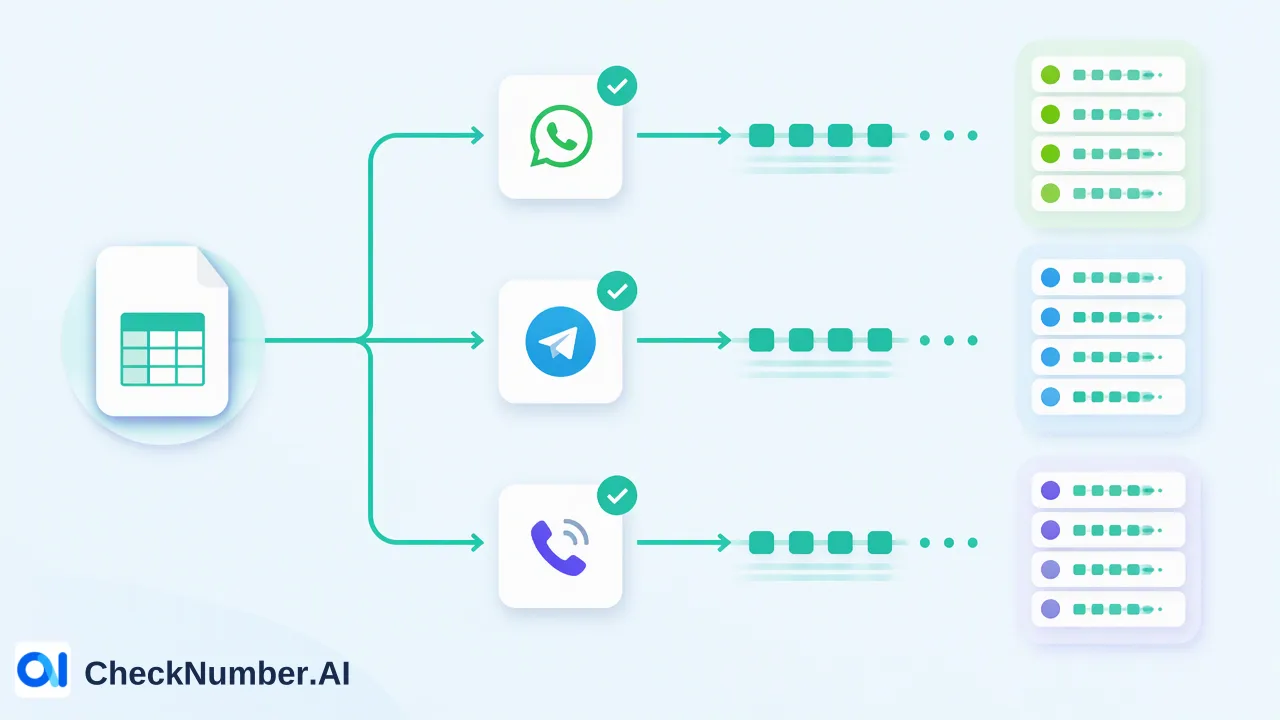
To bulk verify phone numbers CSV files are prepared with clean, standardized phone records, uploaded to CheckNumber.AI, and processed against platform-specific checkers such as WhatsApp, Telegram, or iMessage. The resulting platform registration signals provide check-time reachability context, helping organizations segment audiences and inform direct communication planning without inferring identity or user preference.
Preparing Your CSV Phone Number List
Before starting a verification job, teams need to prepare their source data. Bulk workflows on CheckNumber.AI support CSV and TXT list uploads, allowing operational teams to handle large volumes of records in a single batch. Preparing a file requires distinguishing between structural formatting and account validation. Formatting and normalization checks inspect character structure, country codes, and standard lengths. These checks confirm whether a string conforms to expected telephone conventions, but they do not confirm whether the number is registered on any communication network. When structuring a CSV file, placing phone numbers in a dedicated column and normalizing them with proper international country dialing prefixes helps downstream checkers parse records accurately. CheckNumber.AI also supports standard TXT files where each number occupies an individual line.
Selecting the Relevant Platform Checker
Every messaging ecosystem operates independently, and different products expose different high-level capabilities. Capabilities documented for one platform must not be assumed for another. Selecting the right checker depends on the channel an organization intends to use for outreach or customer engagement. | Checker Name | Supported Platform | Primary Signal / Capability | | :--- | :--- | :--- | | WhatsApp Number Checker | WhatsApp | Platform registration signal | | Telegram Checker | Telegram | Platform registration signal | | Telegram Days Checker | Telegram | Platform registration signal, activity context, account identifier, Premium membership signal | | Telegram Age & Gender Checker | Telegram | Platform registration signal, activity context, profile and demographic enrichment | | iMessage Checker | iMessage | Platform registration signal, iOS ecosystem segmentation, outreach planning | For general platform-presence checks, the WhatsApp Number Checker and Telegram Checker determine whether records correspond to existing accounts on those respective services. For advanced messaging segmentation, the iMessage Checker identifies iMessage-registered numbers in bulk specifically for iOS and Apple ecosystem audience segmentation and outreach planning. Teams should select the tool that aligns with their chosen messaging infrastructure rather than expecting a single universal output.
Executing the Bulk List Verification
The core workflow of CheckNumber.AI centers on bulk checking of supported phone-number and email lists. Once the list is formatted and the appropriate tool is selected, teams submit their file through the web interface or interact programmatically through the REST API. During bulk execution, the platform processes the entries against the selected platform check. Because the service supports file uploads as well as API access, technical teams can incorporate bulk verification into internal data pipelines or run standalone list reviews directly in the interface. Teams evaluating operational throughput or request controls should consult the current API documentation for applicable guidelines and parameters, as limits depend on the specific integration in use.
Interpreting Check-Time Registration Signals
Once the bulk run finishes, the system returns check results reflecting the status of each number on the chosen network. Interpreting these results requires understanding what a platform registration signal represents. If a number is marked as registered on WhatsApp or Telegram, it confirms that an account was present at the moment the query was executed. This signal supports prioritization and informs outreach planning, helping teams avoid routing channel-specific messages to numbers lacking platform accounts. Keeping signals strictly scoped to the evaluated channel prevents flawed downstream operational assumptions.
Refining and Exporting Customer Segments
After evaluating the output, organizations can filter and segment their records to improve downstream communication strategies. Numbers identified as registered on a specific service can be grouped for targeted workflows. For example, teams planning iMessage outreach can isolate registered iOS-ecosystem contacts into a dedicated segment, reserving fallback SMS or alternative channels for non-registered numbers. For Telegram campaigns, customer teams can separate registered profiles from inactive entries, and when using specialized checkers like the Telegram Days Checker, review available activity signals to inform follow-up cadences. The refined lists can then be exported as updated CSV files or integrated directly into customer relationship management platforms and dispatch engines.
FAQ
What file formats are supported for bulk phone verification?
Bulk list workflows on CheckNumber.AI support CSV and TXT file uploads, as well as programmatic access via REST API. Teams can upload plain text files containing one identifier per line or structured CSV spreadsheets containing phone number columns.
Can organizations check multiple platform registration signals simultaneously?
Different products expose different high-level capabilities, and capabilities are specific to each checker. While teams can process lists across different checkers, each service evaluates account presence on its designated platform independently.
What does a platform registration signal indicate at check time?
A platform registration signal indicates whether an account is present on that specific service at the moment the check occurs.
How does an iMessage registration check support audience planning?
The iMessage Checker identifies registered numbers in bulk specifically to support iOS and Apple ecosystem audience segmentation and iMessage-focused outreach or customer support planning. It does not transfer ecosystem or device conclusions to other platforms.