CheckNumber.AI
· 5 min read
Amazon Email Checker: Add an Amazon Registration Segment to Your List
Check an existing email list for Amazon registration signals and build a useful retail segment alongside subscriber preferences.
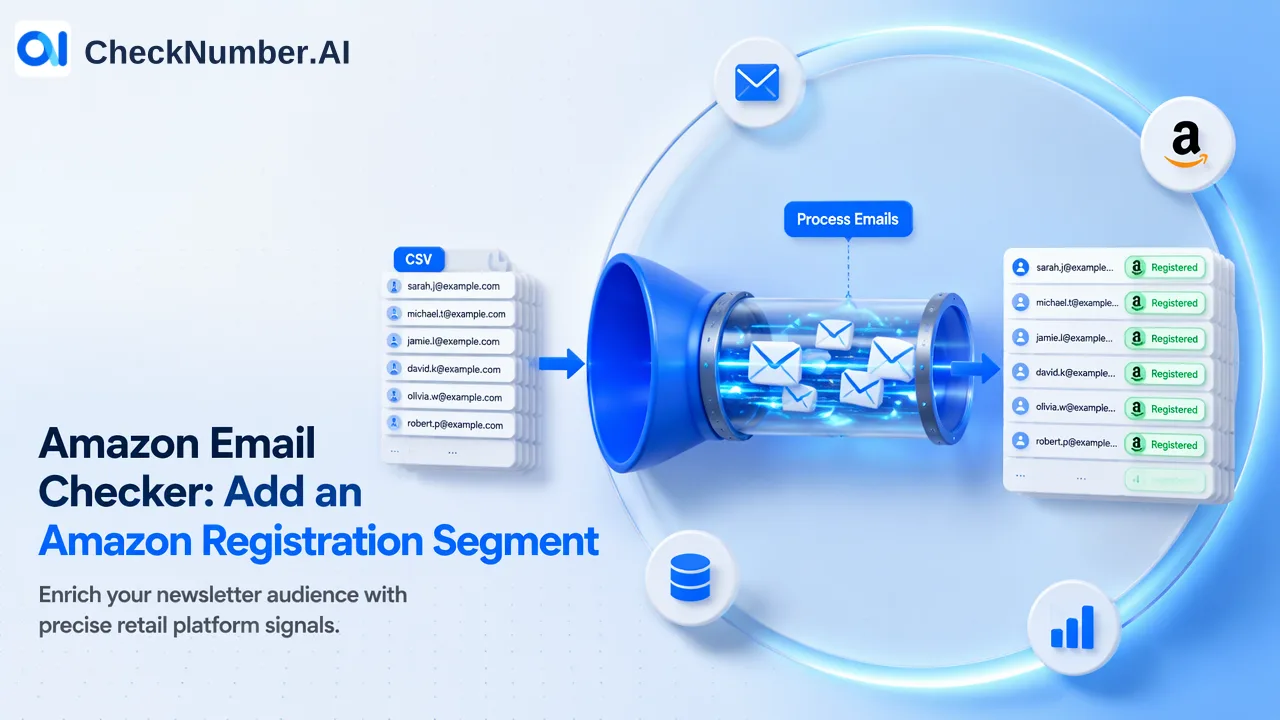
An Amazon email checker answers whether a supplied email address has an Amazon registration signal. If you already hold a customer email list and want that specific segment, CheckNumber.AI’s Amazon Email Checker can check the addresses in bulk and return results for your review. Start with the email field you actually have, then use the observation alongside your own customer and permission records.
Start with the retail question behind the list
Suppose your team produces a newsletter about product research, shopping tools, or retail services. You already know which subscribers requested that content. You now want to understand whether an Amazon-specific edition would be relevant to part of the existing audience. An Amazon registration segment can help organize that review: it adds one named-platform observation to addresses already in your list.
The useful question is “Which of these email addresses has an Amazon registration signal?” Keep that wording in the brief. “Which subscribers bought on Amazon last month?” needs purchase evidence. “Which readers want this offer?” needs their stated interests or response to your own content. A registration check supplies the first observation; your subscriber information supplies the context for deciding what to do with it.
This matters when choosing a tool. Searching for an Amazon email checker also brings up account sign-in help and email validation services. Sign-in help is for the account holder. Email validation concerns the address or its provider. Our Amazon Email Checker concerns registration on Amazon for the supplied address. Matching that question to the service is the most useful first step.
Use the email product when your source is email
CheckNumber offers separate Amazon phone-number and Amazon email checking products. For a newsletter export, choose Amazon Email Checker. There is no need to obtain phone numbers just to use the other route. If the relevant customer data is a phone list instead, use the matching Amazon phone product after checking its current supported countries.
Amazon’s own sign-in guidance describes using the email address or mobile number associated with an account. That explains why the identifier matters: your customer’s newsletter email and the address they use for Amazon need not be the same. A result belongs to the address you submitted. An absent registration signal for a work address does not settle what someone does with a personal address.
Keep your source customer ID and original email in your working file. If the same address occurs in several subscription lists, check whether those rows represent duplicate subscriptions or separate business records before merging anything. You can submit a clean list of unique addresses while keeping the original relationships in your own data.
Prepare a small list you can interpret
Use addresses collected for an appropriate, disclosed purpose and review the audience’s existing preferences. Before a paid platform check, the free Email Cleaner in our Toolbox can help with syntax, MX records, duplicates, and disposable addresses. That preparation and Amazon registration answer different questions, so retain a clear distinction between cleaning outcomes and the later Amazon observation.
The supported bulk workflow uses CSV or TXT lists. For the Amazon email task, the documentation describes one email address per line. Prepare an authorized sample first, keeping names and unrelated customer notes in your source file rather than adding them to the checking input. Inspect a few entries for copied display names, trailing spaces, and accidentally combined addresses.
After the sample, confirm that you can match the results back to the source addresses. A completed run is useful only if the team can tell which customer record each observation belongs beside. Resolve that join before checking the rest of the list. Preserve the original addresses rather than rewriting unfamiliar domains into addresses you assume the customer intended.
Run the check and build the segment
Select Amazon Email Checker in CheckNumber’s bulk workflow, submit the prepared list, and retrieve the completed export. Teams with recurring list work can use the REST API; follow the current documentation for the selected product rather than borrowing another checker’s request details or limits.
Keep the result as a dated Amazon registration observation. A simple customer-side worksheet might contain your subscriber ID, submitted address, Amazon check date, observed result, newsletter preference, and the next editorial action. These are suggested columns for your own working file, rather than a promised export schema.
For the newsletter example, one possible action is to review the registered segment against readers who already requested retail content. Another is to leave an unresolved observation out of that segment until its task status has been checked. A completed negative and an unavailable result should remain separate: the former answers the selected question; the latter leaves it open.
The original subscription and suppression records still determine whether someone belongs in a mailing audience. An Amazon registration signal does not supply prior express and informed consent. Apply those existing preferences when assembling the edition, even when an address has a positive result.
Choose content from what you actually know
The segment can support a relevant editorial choice, such as reviewing an Amazon-oriented product-comparison article for eligible retail subscribers. Its wording should reflect their known interest, rather than pretending you saw their purchases. “A guide to comparing product listings” can stand on the content itself. “Because you recently bought on Amazon” would require separate evidence you do not get from registration checking.
Treat Prime membership, order history, and spending as separate questions. The Amazon registration observation is useful without turning it into those claims. Likewise, avoid labeling every positive row a confirmed customer of a particular merchant; your own orders establish that relationship.
To begin, take one existing email segment, write down the Amazon registration question, and prepare a small sample you can join back correctly. The CheckNumber API documentation provides the current Amazon email reference for that workflow. Review the returned segment beside your existing subscriber preferences before deciding which content it should receive.