CheckNumber.AI
 · 6 min read
Free WhatsApp Number Checker Limits vs Bulk Checking: What Changes at Scale
A neutral comparison of one-by-one WhatsApp checkers and bulk checking workflows, focused on volume, consistency, export, and data handling.

Free WhatsApp number checker limits usually show up in four places: usage caps per hour or per day, manual one-number-at-a-time input, no structured export, and unclear handling of the numbers you paste in. For checking a handful of numbers, a free web checker is fine. Once a team needs to check a list, repeat the check later, and join results back to a CRM, a bulk checking workflow with file uploads or an API is the more practical fit. The deciding factors are list size, how often the check repeats, and who is responsible for the data.
What free WhatsApp checkers are built for
Most free checkers that rank for this search are single-number web forms. A person types one number in international format, presses a button, and sees whether it is registered with WhatsApp. Several also offer a link that opens a chat with that number.
That design suits a few real situations:
- Confirming one contact before sending a personal message.
- Testing whether a number from a form looks reachable on WhatsApp.
- Spot-checking a few rows from a larger file.
The ranking pages describe these features well, but they rarely explain what happens when the same task needs to cover a thousand rows, run again next month, or be audited later. Those are the questions that matter for marketing operations, CRM, and data teams.
Free WhatsApp number checker limits that matter at scale
Usage caps
Free tools commonly limit checks per hour, per day, or in total before asking for a sign-up. Caps exist to keep the service stable, which is reasonable, but they turn a list job into many sessions spread over days.
Manual input and inconsistent formatting
One-by-one forms depend on the person typing. A UK number entered as 07700 900123 in one session and 447700900123 in the next may produce different outcomes, and nothing records which form was used. WhatsApp itself asks for full international format, so every manual entry is a chance for a missing country code or a stray trunk 0.
No structured export
A result shown on screen has to be copied by hand into a spreadsheet. There is usually no record ID, no check date, and no file that can be re-imported into a CRM.
Unclear data handling
Pasting customer numbers into a site with no documented terms makes it hard to answer basic questions: who processes the data, where it goes, and for how long. Under the GDPR, a controller should use processors that provide sufficient guarantees and a written agreement, and should keep personal data limited to what is necessary.
Unofficial methods and availability
Some free checkers and browser extensions rely on automating a personal WhatsApp session. Availability can change without notice, which makes them a weak base for a recurring business process.
Side-by-side comparison
| Factor | One-by-one free checker | Bulk checking workflow |
|---|---|---|
| Input | Typed into a web form | CSV or TXT upload, or REST API |
| Formatting | Depends on each entry | Cleaned and normalized as a file before the check |
| Volume | Capped per hour or day | Sized to the list; see current product documentation for details |
| Repeatability | Manual, session by session | Same file and settings can be re-run later |
| Output | On-screen result | Checker-specific results exported for review and segmentation |
| Audit trail | Usually none | Export file with check date can be kept with the source list |
| Data handling | Often undocumented | Can be assessed as part of vendor review |
Neither column is better in every case. The right choice follows from the job, not from the tool.
What a bulk WhatsApp checking workflow looks like
A bulk workflow replaces repeated typing with a short, repeatable routine:
- Export the list with a record ID for each row so results can be joined back reliably.
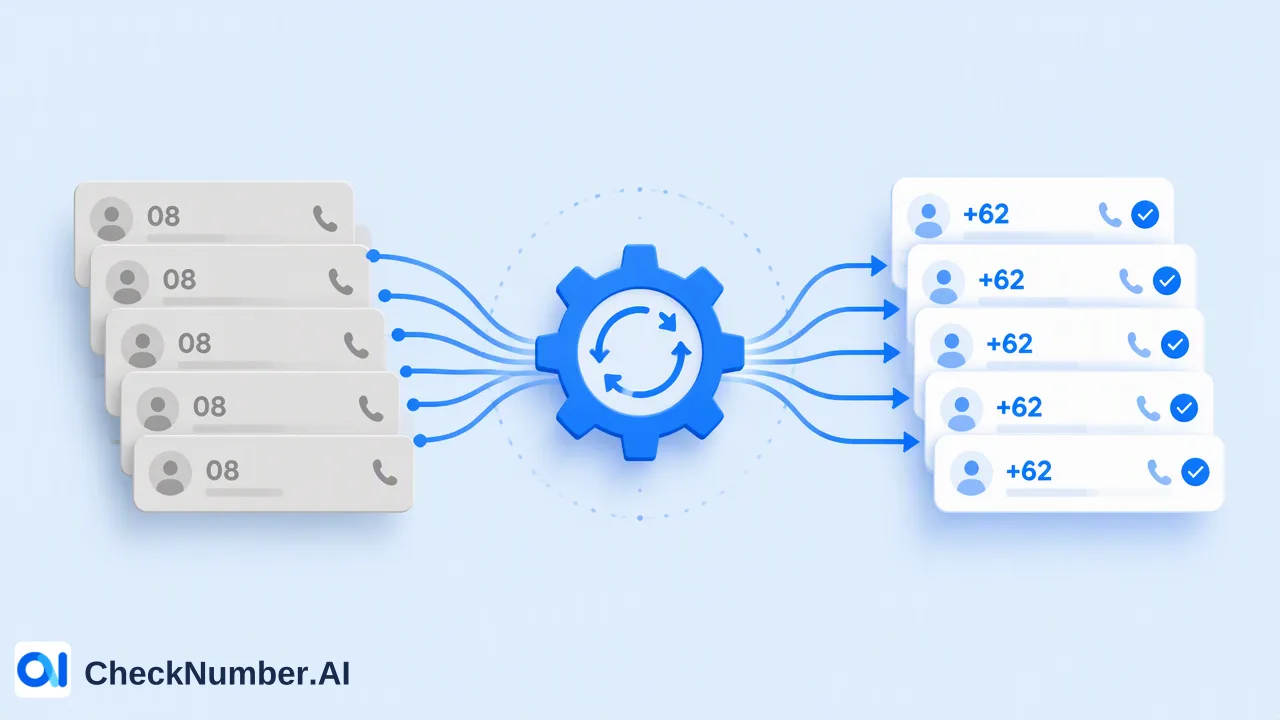
- Clean the numbers. The dashboard Toolbox includes a Number Cleaner that normalizes phone numbers to E.164 and removes duplicates and invalid entries before a paid check.
- Split by country. Phone-list uploads use one country per file and one number per line with the country code; the plus sign is optional. Confirm each country against the selected product’s current country selector. China mainland is not covered for phone-number products.
- Choose the checker. The WhatsApp Number Checker checks whether phone numbers are registered with WhatsApp. The WhatsApp Advanced Checker checks current WhatsApp registration for uploaded lists using a stricter real-time detection process. Pick one per job and keep its name in the result column.
- Upload or call the API. CSV and TXT uploads suit periodic list work; the REST API suits checks inside a lead or CRM pipeline. Request limits are listed in the current API documentation.
- Export and record. Save the export with the check date and the checker name, then update CRM fields from it.
The result is a platform-specific registration signal at check time. It informs which rows go into a WhatsApp segment; it does not replace the opt-in record that the WhatsApp Business Messaging Policy requires before a business contacts someone.
How to decide which approach fits
Use these criteria rather than a fixed list-size cutoff:
- A few numbers, checked once, no CRM update: a single-number checker is enough.
- Dozens of numbers or more, or any CRM write-back: a file-based workflow saves time and keeps formatting consistent.
- Checks that repeat every campaign or every month: a bulk workflow, so each run is comparable with the last.
- Checks triggered by new leads in real time: the REST API, placed after form capture and before routing.
- Any list containing customer data under a privacy policy: a vendor that can be reviewed and documented, whatever the size.
Common mistakes when moving from free tools to bulk checks
- Uploading raw CRM exports. Mixed formats, duplicates, and placeholders like
0000000000waste checks. Clean first. - Mixing countries in one file. Upload one country per file so each number is read with the right country code.
- Dropping the record ID. Joining results back on the phone string alone breaks whenever formatting differs.
- Combining platform results into one flag. Keep WhatsApp results in their own dated column instead of a single “reachable” field that hides which platform each signal came from.
- Deleting unregistered rows. A number that is not on WhatsApp may still be right for SMS, email, or calls with consent.
FAQ
When is a one-by-one WhatsApp checker good enough?
When the job is a few numbers, checked once, with no need to save or re-import the result. For anything that feeds a CRM, repeats, or involves customer data under a privacy policy, a file-based or API workflow is easier to manage and audit.
How can teams keep results comparable between runs?
Use the same cleaning step, the same checker product, and the same file layout each time, and store the check date and checker name with every export. That way a change in the share of registered numbers reflects the list, not the process.
Which input format should a bulk WhatsApp check use?
One country per file and one number per line with the country code; the plus sign is optional. Supported uploads are CSV or TXT. Running Number Cleaner first normalizes numbers to E.164 and removes duplicates and invalid entries.
How should teams handle API request limits for WhatsApp checks?
Read the current API documentation for applicable limits and build the integration around them, for example by queuing new leads rather than calling the API in bursts. Limits can change, so avoid hard-coding figures copied from old posts.